How to identify a MacBook from photos alone, when there's no serial
Identify your MacBook (or any 2015-or-later Mac) from listing photos with no serial in sight. Four signals do the work: port layout, display geometry, function row vs Touch Bar, and color/finish.

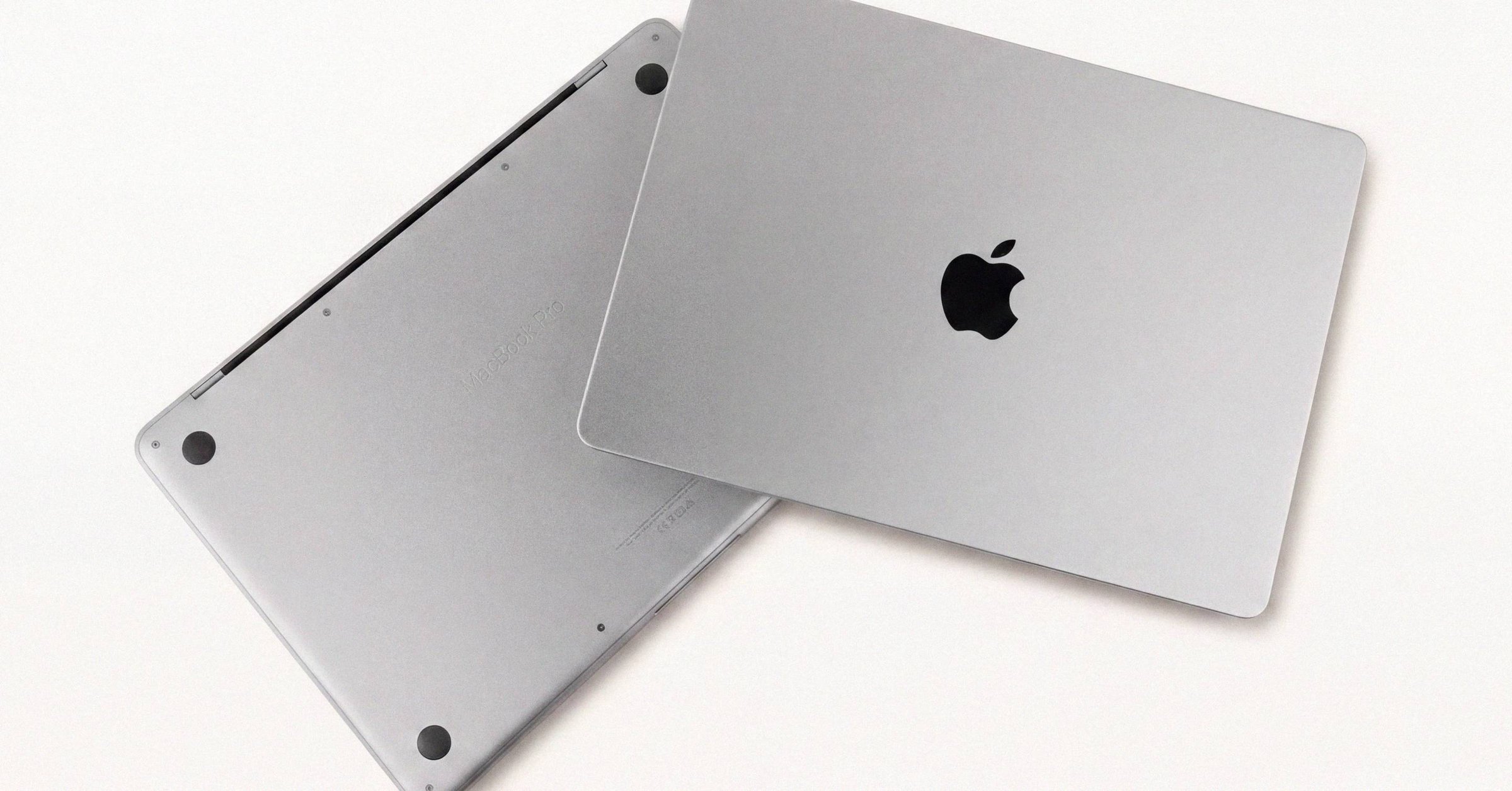
MagSafe 3 on a slim aluminum MacBook almost always means 2021 or later, because Apple removed MagSafe entirely in late 2016 and only brought it back when the 14-inch and 16-inch MacBook Pros launched in October 2021. That single signal collapses about half the ambiguity in most marketplace listings before you ask any questions of the seller.
This post is a decision tree for identifying a Mac from photos alone, no serial number, no model identifier, no order number. The goal is not to replace a checkcoverage.apple.com lookup. It is to get close enough that you know which questions to ask, and whether the asking price is in the right neighborhood, before you commit your attention. For the full identifier hierarchy behind a final SKU resolution, see the canonical Mac identifier and serial-lookup primer.
Portables: four visual signals#
Almost every MacBook from 2015 onward can be identified from photographs by combining four signals: port layout, display geometry, function row versus Touch Bar, and color or finish. Each one alone narrows the field. In combination they usually collapse the listing to a single year and SoC tier.
Ports#
The MacBook port layout has shifted three times in the last decade. Each shift is identifiable from a single side-on photo.
| Port pattern | Models |
|---|---|
| USB-C only (2-4 ports, no MagSafe) | 2016-2020 MacBook Pro (Touch Bar and non-Touch Bar), MacBook (2015-2017), MacBook Air M1 (2020) |
| MagSafe 3 + USB-C + HDMI + SD slot | 14-inch and 16-inch MacBook Pro from October 2021 onward |
| MagSafe 3 + two USB-C (no HDMI, no SD) | MacBook Air M2 (2022) and M3 (2024); 15-inch Air |
| MagSafe 2 (T-shaped connector) | Retina MacBook Pro 2012-2015, MacBook Air 2012-2017 |
| MagSafe 1 (L-shaped connector) | Pre-Retina MacBook Pro, MacBook Air 2008-2011 |
The MagSafe-3 return in 2021 is the most informative single port signal. Apple removed MagSafe from the Pro line in late 2016, sold five years of USB-C-only Pros, then brought MagSafe back when the 14-inch and 16-inch models launched. A MagSafe connector visible on a thin aluminum laptop in a listing photo is therefore a fairly strong "2021 or later" signal, with the M2 Air (2022) being the cheapest model in that bracket.
The 13-inch MacBook Pro is an exception worth memorizing. Apple continued selling it alongside the redesigned 14-inch Pro through the M1 and M2 generations, so the M2 13-inch Pro shipped in 2022 with the old USB-C-only / Touch Bar / no-notch design. So a listing showing a 13.3-inch screen, Touch Bar, and no MagSafe could be anything from a 2016 Intel Pro to a 2022 M2 Pro. The other three signals separate them. (This is also why A-number alone is insufficient: A2338 covers the M1 and the M2 13-inch Pro, with no external difference. See why Apple repeats chassis A-numbers across SoCs.)
Display geometry#
Apple introduced the notch on the 14-inch and 16-inch MacBook Pro in 2021, then spread it to the MacBook Air line starting with the M2 Air in 2022. The notch is one of the cleanest single-photo signals on the lineup, and the screen size at which it appears tells you the rest.
| Diagonal | Aspect / notch | Models |
|---|---|---|
| 13.3 inch | 16:10, no notch | All 13-inch MacBook Pro 2016-2022; MacBook Air through M1 (2020) |
| 13.6 inch | Notched | MacBook Air M2 (2022), M3 (2024) |
| 14.2 inch | Notched | 14-inch MacBook Pro 2021 onward (M1 Pro/Max, M2 Pro/Max, M3 Pro/Max, M4 Pro/Max) |
| 15.3 inch | Notched | 15-inch MacBook Air M2 (2023), M3 (2024) |
| 16.2 inch | Notched | 16-inch MacBook Pro 2021 onward |
| 12 inch | 16:10, no notch | 12-inch MacBook 2015-2019 |
A notched display immediately narrows the device to one of five lines, and the size narrows it further. A 14.2-inch notched display is always a 14-inch MacBook Pro, which never shipped with a base M-series chip (only M1 Pro / M2 Pro / M3 Pro / M4 Pro and up). A 13.6-inch notched display is always an M2 or M3 Air. The 15-inch Air did not exist before the M2 Pro generation in 2023.
The absence of a notch on a slim aluminum portable is itself informative. It tells you the device is either pre-2021 Pro, pre-M2 Air, or a 13-inch Pro from any year. The other signals separate those branches.
Function row vs Touch Bar#
The Touch Bar - the OLED strip above the keyboard - shipped on the 13-inch and 15-inch MacBook Pro from late 2016 through 2022. The 14-inch and 16-inch MacBook Pro that launched in October 2021 dropped the Touch Bar in favor of a full-height function row. The MacBook Air never had a Touch Bar.
| Keyboard top row | Models |
|---|---|
| Touch Bar (OLED strip) | 13-inch and 15-inch MacBook Pro Late 2016 through 2017 (Intel), Mid 2018 through Mid 2020 (Intel), Late 2020 (M1, 13-inch), 2022 (M2, 13-inch) |
| Full-height function keys | All MacBook Air; 14-inch and 16-inch MacBook Pro 2021 onward; 12-inch MacBook; non-Touch-Bar 13-inch Pro 2016-2017 |
A Touch Bar visible on the keyboard plus a 13.3-inch display is the M1 or M2 13-inch Pro - or any Intel 13-inch Pro from late 2016 onward. To separate M1/M2 from Intel, look at the chip listed in About This Mac if the seller has posted that screenshot, or ask for the order number. If the listing photos show a Touch Bar on a 14-inch or 16-inch display, the listing is mislabeled - those sizes never shipped with a Touch Bar.
The non-Touch-Bar 13-inch Pro is its own narrow case: only the 2016 and 2017 models offered a function row instead of a Touch Bar, in chassis A1708 rather than A1706. It had two USB-C ports instead of four, a smaller battery, and was discontinued in mid-2019.
Color and finish#
Color does not uniquely identify a Mac, but it narrows generations quickly.
| Color | Models |
|---|---|
| Silver | Most generations, every era |
| Space Gray | MacBook Pro 2016 onward; MacBook Air 2018 onward; Mac mini, Mac Studio, Mac Pro |
| Gold / Rose Gold | 12-inch MacBook; MacBook Air 2018-2020 (Gold) |
| Starlight | MacBook Air M2 (2022) onward; iMac 24-inch options |
| Midnight | MacBook Air M2 (2022) onward; 16-inch MacBook Pro M4 (2024) |
| Space Black | 14-inch and 16-inch MacBook Pro M3 Pro and M3 Max only; M4 Pro / Max |
| Sky Blue | MacBook Air M4 (2025) |
Space Black is the single most diagnostic color signal in current Apple silicon. Apple introduced it with the M3 Pro and M3 Max 14-inch and 16-inch MacBook Pros in late 2023, and reserved it for those Pro / Max tiers - the base M3 14-inch Pro shipped only in Space Gray and Silver. A listing showing a Space Black MacBook Pro therefore tells you the chip is at least M3 Pro.
Midnight is the M2 / M3 / M4 Air's darkest finish and looks superficially similar to Space Gray in poor lighting - check the photos in daylight for the deep blue undertone.
Desktops: chassis geometry is unambiguous#
Apple's desktop lineup uses distinct enough chassis that a single photo usually identifies the family, leaving only the year and SoC tier to verify.
| Model | Identifying photo features |
|---|---|
| Mac mini | Flat puck, roughly 7.7-inch square, ports across the back. M4 has front-facing USB-C and headphone jack; pre-M4 has only the back panel. |
| Mac Studio | Same 7.7-inch footprint as the mini but roughly twice as tall, with a perforated ring around the lower half for airflow. |
| Mac Pro 2019 / 2023 | Aluminum tower with lattice grill, handle on top. Same chassis for both Intel and Apple silicon - externally indistinguishable. |
| Mac Pro 2013 | Cylindrical black chassis ("trash can"); discontinued 2019. |
| iMac 24-inch M1+ | Thin chin without Apple logo, white bezel by default, colored back panel. |
| iMac Pro | 27-inch all-Space-Gray iMac, 2017 only - no other iMac shipped exclusively in Space Gray. |
The Mac mini versus Mac Studio question is the most common photo-identification mistake. Both are 7.7-inch square pucks. The Studio is approximately twice the height (3.7 inches versus the mini's 1.4 inches), with the perforated airflow ring at the bottom edge. In a top-down photo with no scale reference, the ring is what gives it away.
For Mac Pro generations, the 2019 Intel and 2023 Apple silicon share the same tower chassis - only the order number or a System Information screenshot separates them.
When photos run out#
A photo can identify a Mac to a generation and a chip tier, sometimes to a specific SKU. It cannot reliably tell you the RAM, the SSD, whether the device has been opened, whether the battery is original, or whether AppleCare is still active. For any of that, you need either a serial number (checkcoverage.apple.com handles warranty and exact marketing model), a System Information screenshot (chip, memory, storage), or the order number (EveryMac's Ultimate Mac Lookup decodes the full SKU). Decoding a Mac order number field-by-field walks through the MNEH3LL/A structure when you have it.
The serial's first three and last four characters are sufficient for a Check Coverage query without exposing the whole string; a redacted middle is the standard secondary-market convention. If a seller will not provide that much after the photos have narrowed the device to a known model, that is itself diagnostic. On a post-2021 Mac the redacted-middle convention still works because the randomized serial format is a dumb token only Apple's database resolves anyway.
What this means for the reader#
Photo identification is the first filter, not the verdict. A 14.2-inch notched display in Space Black is at least an M3 Pro, which sets a floor on the price. A USB-C-only 13.3-inch screen with Touch Bar is M1, M2, or Intel - a four-figure spread on the secondary market that the photos alone cannot resolve.
Once the photo narrows it to two or three candidates, ask for the serial or the order number. Those collapse the ambiguity to one SKU, and Check Coverage confirms whether the warranty matches the seller's claim. The photo is the screening test; the serial is the diagnostic. Skipping the screening test wastes time on listings that cannot be what the seller claims. Skipping the diagnostic risks money on listings that can. And because even a matching serial only proves such a device exists, not that this Mac is it, the buy-side endgame is a Macfax report the seller runs, which binds the serial to the actual hardware so the listing photos, the serial, and the device finally line up on one signed record.
Have a serial in front of you? The Macfax lookup reads the model, year and configuration, and shows what Apple's own tools leave out.
Related posts
Apple serial number check: the complete guide to looking up a Mac
How to find a Mac's serial number on any Mac, whether it starts up or not, and how to look it up: what the serial identifies, what Apple's Check Coverage and the Macfax lookup each return, and the checks buyers, sellers and IT teams run with it.
Apple serial number decoder: how to read a Mac serial and its manufacture date
An Apple serial number decoder for every Mac serial format: the 11-character serials from before 2010, the 12-character serials from 2010 to 2021 with a worked example and the manufacture date they carry, and what changed with the randomized serials Apple has issued since 2021.
A1278 MacBook Pro: how to tell which year you actually have
The A1278 13-inch MacBook Pro chassis shipped from late 2008 through mid-2012. Externally identical year to year, internally five different logic boards spanning two Intel socket transitions. The EMC number is the only clean way to tell them apart.
Written by
Marcus WilliamsMarcus Williams covers Mac hardware and repair for Macfax. He spent six years on the bench at an Apple Authorized Service Provider in the Pacific Northwest before going independent, most of that time on logic-board repair, display assembly swaps, and the failure patterns Apple's diagnostics don't surface. He writes about what's inside a Mac, what breaks first, and what a serial number can and can't tell you about a unit's history.
More posts by Marcus →