A1278 MacBook Pro: how to tell which year you actually have
The A1278 13-inch MacBook Pro chassis shipped from late 2008 through mid-2012. Externally identical year to year, internally five different logic boards spanning two Intel socket transitions. The EMC number is the only clean way to tell them apart.

A1278 MacBook Pro: how to tell which year you actually have#
"A1278 MacBook Pro" is not a single machine. It is a chassis Apple shipped continuously from late 2008 through mid 2012, externally identical year to year and internally five different logic boards spanning two Intel socket transitions and two USB generations.
If you are buying or selling a 13-inch unibody MacBook Pro from that era, the A-number on its own is uselessly coarse. The EMC number, a four-digit identifier Apple stamps on the chassis whenever the logic board revs, is what cleanly distinguishes the revisions. For the broader identifier landscape (serial, Model Identifier, A-number, EMC, part number), see the Mac serial-number reference.
The five A1278 revisions#
| Release | A-number | EMC | CPU | Example part numbers |
|---|---|---|---|---|
| Late 2008 Unibody MacBook | A1278 | 2254 | Core 2 Duo (2.0 / 2.4 GHz) | MB466LL/A, MB467LL/A |
| Mid 2010 MacBook Pro | A1278 | 2351 | Core 2 Duo (2.4 / 2.66 GHz) | MC374LL/A, MC375LL/A |
| Early 2011 MacBook Pro | A1278 | 2419 | Core i5 / i7 (Sandy Bridge) | MC700LL/A, MC724LL/A |
| Late 2011 MacBook Pro | A1278 | 2555 | Core i5 / i7 (Sandy Bridge refresh) | MD313LL/A, MD314LL/A |
| Mid 2012 MacBook Pro | A1278 | 2554 | Core i5 / i7 (Ivy Bridge, USB 3.0) | MD101LL/A, MD102LL/A |
Note that the Late 2008 unit was the unibody MacBook, not the MacBook Pro. The chassis predates the Pro rebrand. Note also that EMC numbers do not always increase monotonically with release date. EMC 2555 (Late 2011) is numerically higher than EMC 2554 (Mid 2012). The EMC is a board-revision identifier, not a calendar code.
What changed under the lid#
The architectural changes across the A1278 run are not cosmetic. They cross two CPU platforms and one USB generation.
Late 2008 (EMC 2254). Core 2 Duo Penryn, 2.0 or 2.4 GHz, DDR3-1066. NVIDIA GeForce 9400M integrated graphics. Mini DisplayPort. Two USB 2.0 ports, FireWire 400 was removed on this unit relative to the predecessor polycarbonate MacBook.
Mid 2010 (EMC 2351). Penryn refresh, 2.4 or 2.66 GHz Core 2 Duo, DDR3-1066. Still NVIDIA GeForce 320M integrated graphics. The Core 2 Duo platform held for one more generation than the 15-inch and 17-inch lines, which had already moved to Core i5 / i7 in April 2010.
Early 2011 (EMC 2419). This is the major architectural break. Sandy Bridge Core i5 / i7, which is a different CPU socket (rPGA988B vs Socket P), a different chipset (Intel HM65), and Intel HD Graphics 3000 integrated (no discrete GPU on the 13-inch). Thunderbolt 1 replaces the Mini DisplayPort. RAM moves to DDR3-1333. None of the 2010 logic boards are interchangeable with this unit.
Late 2011 (EMC 2555). Sandy Bridge refresh, modest clock bump, otherwise architecturally identical to Early 2011.
Mid 2012 (EMC 2554). Ivy Bridge Core i5 / i7, USB 3.0 host controller, DDR3-1600 RAM, SATA III (6 Gbps) controller. The last A1278; Apple discontinued the optical-drive 13-inch MacBook Pro after this revision, though Apple continued selling the Mid 2012 unit through 2016 as the entry-level MacBook Pro option. macOS compatibility goes further too. The Mid 2012 unit was supported through macOS Catalina, two releases beyond the Early 2011.
The takeaway: an "A1278" listing can mean a 2008-era Penryn machine with FireWire-less USB 2.0 and integrated NVIDIA graphics, or a 2012-era Ivy Bridge machine with USB 3.0 and an OS support ceiling four years later. Those are very different used purchases.
Where the EMC lives#
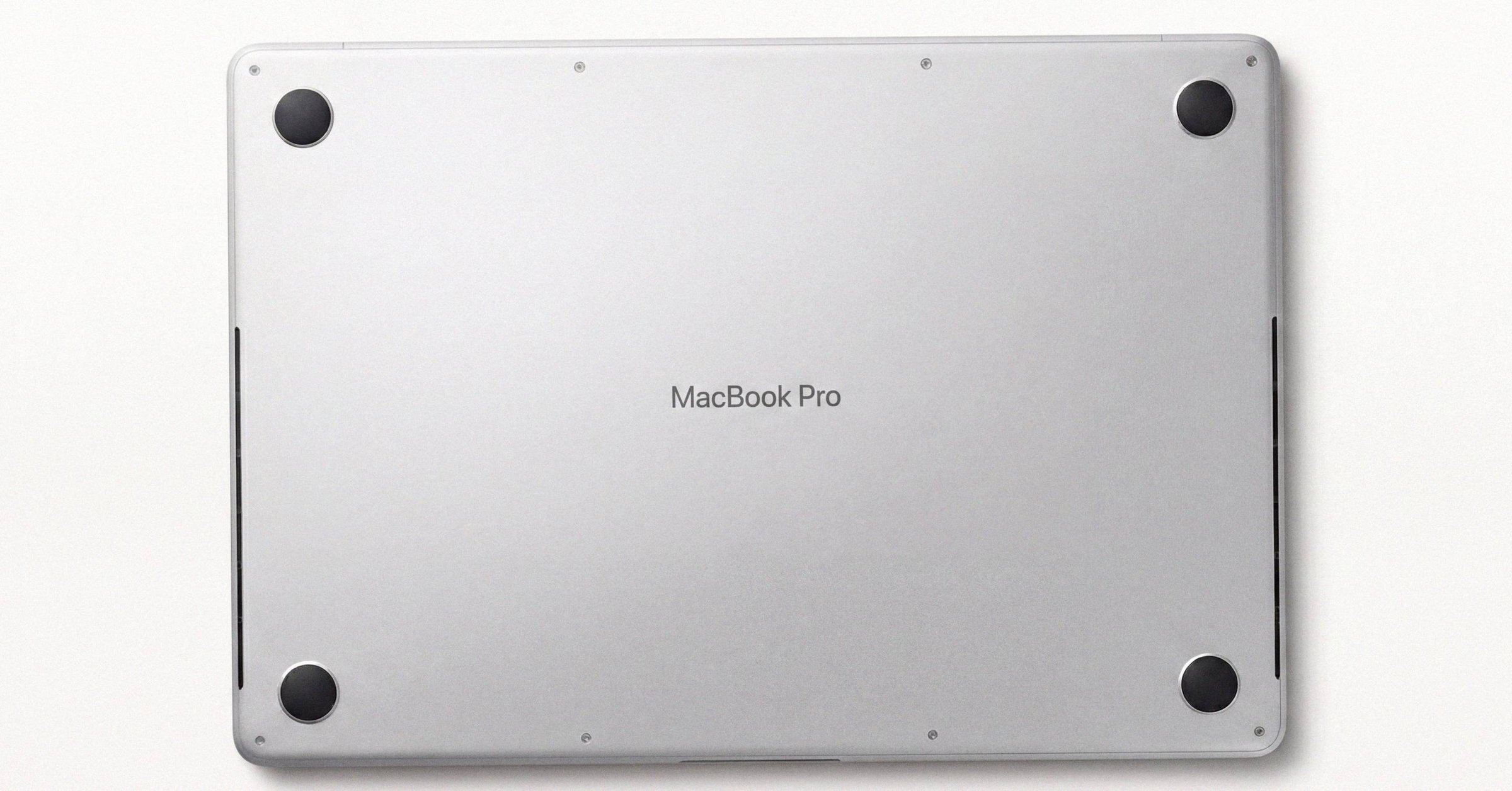
The EMC number is etched on the underside of the chassis, in light-gray laser engraving near the regulatory markings and the serial number. Apple has used roughly 1.5 to 2 mm text. Common misreads on dark anodized aluminum are 8 vs B, 0 vs D or Q, 1 vs 7, and 5 vs S. A phone macro lens with raking light helps, as does copying the serial digitally via system_profiler SPHardwareDataType for cross-reference (see how to find the serial number on a Mac for the software-side path).
EMC numbers do not appear in About This Mac. They cannot be queried via system_profiler. They are physically etched on the case and that is the only software-free way to read them. This is by design. The EMC is Apple's internal regulatory-revision identifier for the logic board, not a customer-facing field.
On a worn or scratched underside, the EMC is often more legible than the serial. The serial is twelve characters of mixed alphanumeric; the EMC is four digits preceded by the string EMC and is printed with more whitespace.
How to look it up#
Once you have the EMC, the lookup is unambiguous. Several reverse-lookup paths work:
- Apple's "Identify your MacBook Pro" page (support.apple.com/en-us/108052) lists every released MacBook Pro with its Model Identifier, A-number, and EMC where applicable, linked to the relevant Tech Specs page.
- Open community catalogs such as AppleDB and The Apple Wiki list each model's Model Identifier and A-number, which together with the EMC settle the revision.
- Beetstech Sentient Search (beetstech.com/apple-device-lookup) is strong for cross-identifying older Intel logic boards by EMC combined with A-number.
For Macs that boot, About This Mac will also reveal the Model Identifier (MacBookPro5,5 for Late 2008, MacBookPro7,1 for Mid 2010, MacBookPro8,1 for Early 2011, MacBookPro8,1 again for Late 2011, MacBookPro9,2 for Mid 2012). The Model Identifier collapses to one revision when combined with the EMC.
Why Apple reuses A-numbers#
A-numbers are FCC and regulatory identifiers tied to a chassis design: the physical case, antenna geometry, and external port layout. Apple holds onto an A-number for as long as the chassis design is in production. Inside that chassis, the logic board can rev multiple times without affecting the FCC filing. EMC numbers track those internal revisions; A-numbers do not.
That is why the A1278 covers five board revisions. It is also why other consequential A-numbers cover multiple machines (the full catalog is in why Apple A-numbers repeat: A2338, A2442, and other reused Mac chassis):
A2338. 13-inch MacBook Pro 2020 (M1,MacBookPro17,1) and 13-inch MacBook Pro 2022 (M2,Mac14,7). Same chassis, different SoC.A2442. Every 14-inch MacBook Pro (2021) configuration, M1 Pro and M1 Max, every RAM and SSD tier.A2615. Every Mac Studio (2022) configuration, M1 Max and M1 Ultra.A1706vsA1708. The 2016 to 2017 Touch Bar and non-Touch-Bar 13-inch MacBook Pros, which look almost identical but had different thermal envelopes and batteries. EMC distinguishes Late 2016 (3071) from Mid 2017 (3163) withinA1706.
A-numbers are correct for cross-checking compatibility of cases, keyboards, batteries, and (within reason) display assemblies. They are too coarse for warranty verification or exact spec lookup. For the parallel question of how Model Identifiers like MacBookPro9,2 map back to marketing models, see Mac Model Identifiers explained.
What this means if you are buying or selling#
If you are looking at an A1278 listing, the seller should be able to give you both the EMC and the serial. The EMC narrows the unit to one of five revisions. The serial, run through checkcoverage.apple.com, confirms Apple's record of the marketing model and warranty status; the Macfax serial lookup returns the model and year with no captcha. MacBook Pro (13-inch, Mid 2012) on Check Coverage matches EMC 2554 on the chassis, or the listing is wrong. The Apple Coverage Check field guide walks through every result state in detail.
Listings that give only "A1278 MacBook Pro" without an EMC are not necessarily dishonest, but they are not specific. The price spread between a 2008 Penryn machine and a 2012 Ivy Bridge machine is real. RAM, max RAM, OS ceiling, USB generation, SATA controller, and screen brightness all differ. Treat the A-number alone as a request for more information, not as a model spec.
If you are selling, list the EMC alongside the A-number and Model Identifier. It is a small piece of metadata that removes ambiguity and signals you know which revision you have.
Have a serial in front of you? The Macfax lookup reads the model, year and configuration, and shows what Apple's own tools leave out.
Related posts
Apple serial number decoder: how to read a Mac serial and its manufacture date
An Apple serial number decoder for every Mac serial format: the 11-character serials from before 2010, the 12-character serials from 2010 to 2021 with a worked example and the manufacture date they carry, and what changed with the randomized serials Apple has issued since 2021.
Apple serial number check: the complete guide to looking up a Mac
How to find a Mac's serial number on any Mac, whether it starts up or not, and how to look it up: what the serial identifies, what Apple's Check Coverage and the Macfax lookup each return, and the checks buyers, sellers and IT teams run with it.
Mac model number lookup: identifying a Mac from its Model ID, A-number, part number or EMC
A Mac model number lookup playbook for when the serial is missing or unreadable: identifying a Mac from its Model Identifier, A-number, Apple part number (including what LL/A and the other region codes mean) or EMC, and combining them into one exact configuration.
Written by
Marcus WilliamsMarcus Williams covers Mac hardware and repair for Macfax. He spent six years on the bench at an Apple Authorized Service Provider in the Pacific Northwest before going independent, most of that time on logic-board repair, display assembly swaps, and the failure patterns Apple's diagnostics don't surface. He writes about what's inside a Mac, what breaks first, and what a serial number can and can't tell you about a unit's history.
More posts by Marcus →