Mac model number lookup: identifying a Mac from its Model ID, A-number, part number or EMC
A Mac model number lookup playbook for when the serial is missing or unreadable: identifying a Mac from its Model Identifier, A-number, Apple part number (including what LL/A and the other region codes mean) or EMC, and combining them into one exact configuration.

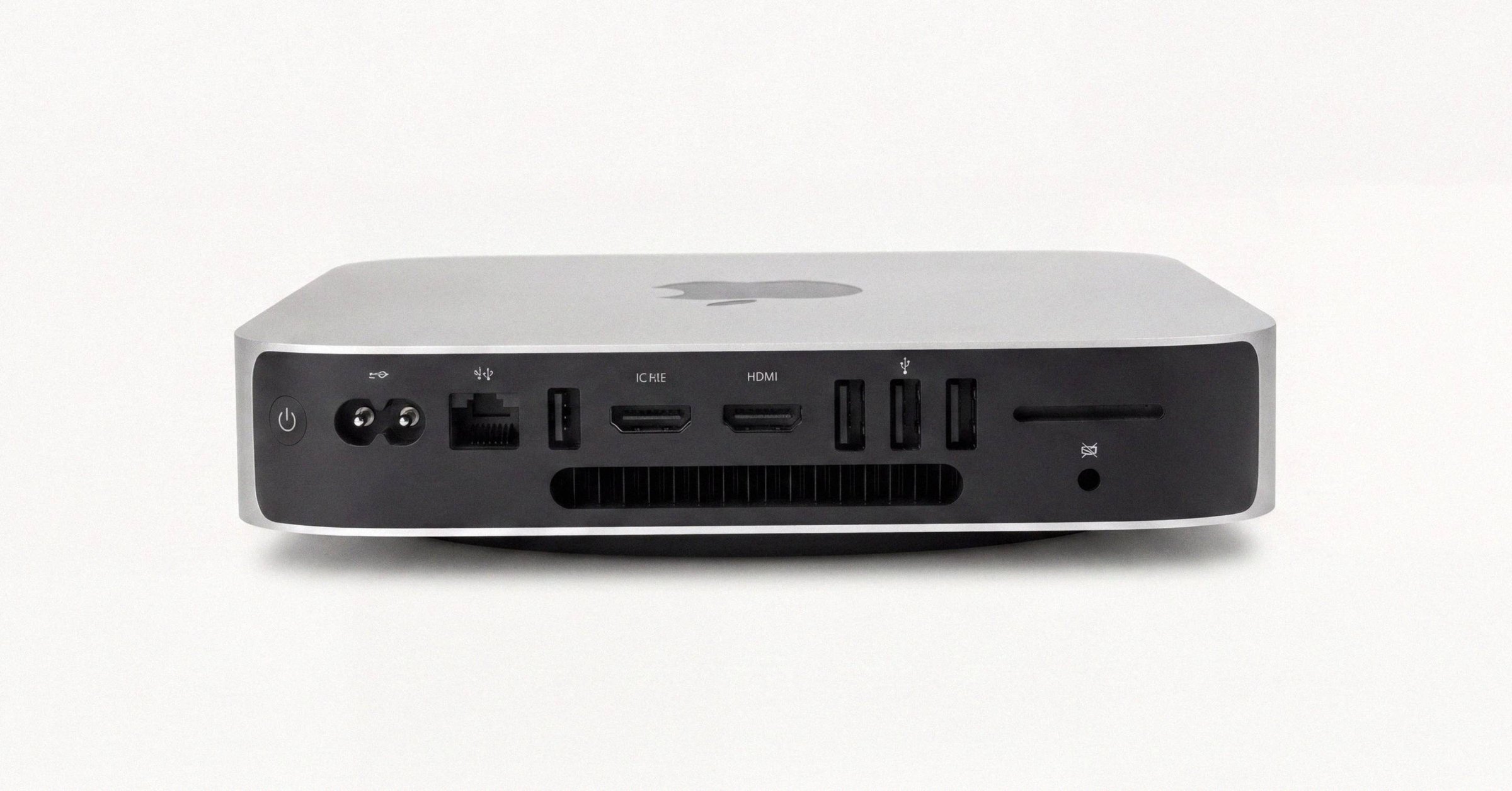
Mac model number lookup: identifying a Mac from its Model ID, A-number, part number or EMC#
Sometimes the serial is not available. It has worn off the case, the Mac will not start, or all you have is a box, a receipt or a photo. Apple puts several other identifiers on every Mac, each at a different level of detail, and any of them can identify the machine once you know what it describes.
This is the playbook for each starting point: a Model Identifier, an A-number, a part number (including the region code at its end), an A-number with an EMC, or a photo. The goal each time is the same, to narrow down to one model and, where possible, one configuration. If you do have the serial, the Apple serial number check guide covers finding and looking it up, and the Macfax serial lookup returns the model directly.
The identifiers, briefly#
| Identifier | Example | What it identifies | Where it lives |
|---|---|---|---|
| Model Identifier | MacBookPro18,3, Mac14,7 | One hardware platform (one chip variant) | macOS only |
| A-number | A2338, A2442 | One chassis, often across years and chips | Etched on the case |
| Part (order) number | MNEH3LL/A | One retail configuration in one market | Box label, receipt |
| Z-style part number | Z18L000SW | One custom build-to-order configuration | Box label, receipt |
| EMC number | EMC 3601 | One logic-board electrical revision | Etched on the case |
None of these is unique to one machine; only the serial is. What they offer instead is configuration. The strategy is to combine identifiers until only one candidate is left: a Model Identifier alone is usually enough, an A-number alone usually is not, and an A-number with an EMC almost always is.
One word of warning about vocabulary. Apple's own staff and packaging use "model number" for three different things: the A-number, the part number, and sometimes the Model Identifier. When someone asks for a Mac's model number, ask which one they mean.
You have a Model Identifier#
The Model Identifier is the name macOS uses internally for the hardware platform. It appears in System Settings → General → About and in the output of system_profiler SPHardwareDataType. It is never etched on the case, so this path needs a Mac that starts up.
Each Model Identifier belongs to one chip variant of one marketing model, which makes the lookup direct:
- Apple's "Identify your Mac" page for the family lists every model with its Model Identifier, part numbers and colors: MacBook Pro, MacBook Air, iMac, Mac mini, Mac Studio, Mac Pro.
- Macfax's family pages list the Apple silicon identifiers for each line alongside where its serial sits: MacBook Pro, MacBook Air, iMac, Mac mini, Mac Studio, Mac Pro.
- Open community catalogs, AppleDB and The Apple Wiki, plus the SOFA feed from the Mac Admins community, publish full tables of every identifier.
For example, Mac14,7 is the MacBook Pro (13-inch, M2, 2022): chassis A2338, EMC 3601, part numbers in the MNEH3, MNEJ3, MNEP3 and MNEQ3 families, which differ by storage and color.
Why newer identifiers look unfamiliar. From the M2 generation on, Apple dropped the family prefixes (MacBookPro, iMac, Macmini) and moved every model to a single Mac prefix with a version number. Mac14,7 is a MacBook Pro, Mac14,3 a Mac mini and Mac13,2 a Mac Studio. No rule maps the numbers to a family; you look them up. macOS treats both styles the same, but some older fleet tools expect the long prefix and stumble on the short one.
You have an A-number#
The A-number is the regulatory model number etched on the case, such as A2338 or A2442. It identifies a chassis, not a year, and Apple reuses chassis across chip generations:
A2338is both the 13-inch MacBook Pro with M1 (2020,MacBookPro17,1) and the 13-inch MacBook Pro with M2 (2022,Mac14,7). Same case, different chip.A2442covers every 14-inch MacBook Pro (2021) configuration, M1 Pro and M1 Max alike.A2615covers every Mac Studio (2022), M1 Max and M1 Ultra.A1706andA1708are the 13-inch MacBook Pro of 2016 and 2017 with and without the Touch Bar, with different batteries and thermals behind near-identical exteriors.
So an A-number alone usually returns several candidates. Search it on Apple's "Identify your Mac" page for the family, which lists every model built in that chassis, then narrow with any one of: the chip shown in About This Mac, the year of purchase, a part number from the box or receipt, or the EMC etched beside the A-number.
A-numbers are the right identifier for matching cases, keyboards, batteries and display assemblies. They are too coarse for exact specifications or warranty questions.
You have a part number#
The part number, also called the order number or marketing number, is Apple's retail SKU. Short of the serial it is the most informative identifier Apple issues, and it has four parts:
M  NEH3  LL  /A
│   │     │   └── /A suffix, on every current SKU
│   │     └────── region code (LL = United States)
│   └──────────── configuration code (chassis, chip, memory, storage, color)
└───────────────── sale type (M new, F refurbished, N service replacement, P personalized)
The first letter: how the Mac was sold#
- M: a new retail unit. The great majority of part numbers start with M.
- F: Apple Certified Refurbished, sold through Apple's refurbished store.
- N: a service replacement, the unit Apple issues when a device under warranty or AppleCare is beyond economical repair.
- P: a new unit that was personalized (engraved) at purchase.
The convention is most consistent on iPhone and iPad. On Macs treat it as a strong hint rather than proof: older Mac service replacements often did not carry an N, as owners have documented in Apple's community forums.
Two practical notes for buyers. Apple Certified Refurbished Macs ship in plain white boxes, so glossy retail packaging around an F part number means the box and the unit have been mismatched somewhere along the way. And an F or N is not a problem in itself, since both come out of Apple's own pipeline with Apple's warranty, but a seller should disclose it.
Do not confuse this letter with the first letter of a serial. An F at the start of an older Mac serial is a Foxconn factory code and says nothing about refurbishment; the decoder guide explains the difference.
The configuration code#
The four or five characters after the first letter are the configuration code, and they fix the whole build at once: chassis, chip, memory, storage and color.
NEH3is the MacBook Pro (13-inch, M2, 2022) in Space Gray with 8 GB of memory and 256 GB of storage.MK1E3is the MacBook Pro (16-inch, 2021) in Space Gray with an M1 Pro (10-core CPU, 16-core GPU), 16 GB and 512 GB.
There is no formula for reading a configuration code; it is an index into Apple's table of SKUs. Apple's "Identify your Mac" pages list the part numbers sold for each model, which is the quickest place to match one. Two codes can share a marketing model when only the color or the storage differs, so match the whole code, not just the model name.
The configuration code is also the thing a listing gets wrong most often. If a seller describes 16 GB of memory and the part number decodes to an 8 GB configuration, ask before paying. It is usually careless copying, and you still want to know.
The region code: what LL/A means#
The one or two letters before /A name the market the Mac was packaged for. LL/A means the United States. There is no Apple-published table; the best-maintained public list is The Apple Wiki's Model_Region page, and a few codes have moved between markets over the years. The common ones:
| Code | Market |
|---|---|
LL/A | United States |
B/A | United Kingdom and Ireland |
C/A, CL/A | Canada |
D/A | Germany |
FN/A, F/A | France |
T/A, Y/A | Italy |
E/A | Spain or Mexico, depending on the era |
J/A | Japan |
CH/A | Mainland China |
HN/A | India |
KH/A | South Korea |
TA/A | Taiwan |
X/A | Australia and New Zealand |
ZP/A | Hong Kong, Macau and Singapore, depending on the era |
AB/A, AE/A | Middle East |
BR/A, BZ/A | Brazil |
LA/A | Latin America |
NF/A | Nordic countries and Benelux |
What the region code changes. Three things. The keyboard: US English on LL/A, the UK layout with a taller Return key and a £ on B/A, AZERTY on FN/A, QWERTZ on D/A, JIS with dedicated 英数 and かな keys on J/A, Hangul legends on KH/A. The power adapter's plug: two flat blades for the United States and Japan, three rectangular pins for the UK, the round-pin Europlug across most of continental Europe, angled pins for Australia and New Zealand. And on older Macs, a few regulatory details such as which Wi-Fi channels were enabled.
What it does not change. The chip, the memory, the storage and the color are all set by the configuration code, so MK1E3LL/A and MK1E3J/A are the same machine internally with a different keyboard and plug. macOS lets you set any language, region and input method regardless of what is printed on the keys. And the region code does not decide warranty coverage; if you plan to rely on service in another country, ask Apple Support with the serial.
Buying across borders. A UK-market MacBook in the United States is the same hardware with a UK keyboard and plug. Some buyers care about the layout and some do not, so sellers listing into another market should state the region code up front. The one repair consequence: the keyboard is part of the top case on modern MacBooks, and replacement top cases are stocked by region, so a J/A Mac needs a J/A part to keep its keyboard.
The /A suffix#
Every current Apple SKU ends in /A. It carries no information. Keep it when copying a label, and drop it for searches that do not expect it.
Z-style part numbers on custom Macs#
A Mac configured to order (with memory, storage or a chip outside the standard retail options) often carries a Z-style part number such as Z18L000SW instead of a retail SKU. It does not follow the four-part structure; it encodes the custom build directly. On recent Macs, whose serials carry no configuration at all, the Z-number can be the single most informative identifier on the machine. Sellers of custom Macs should list it beside the Model Identifier, and buyers should not read it as a red flag: it just means the Mac was customized when it was bought.
You have an A-number and an EMC#
When the etched serial is unreadable (common on well-used MacBooks, where the underside wears against laps and desks), the A-number and EMC printed nearby often survive, because they are set in larger type.
The EMC number changes whenever Apple revises the logic board's electronics, which happens more often than chassis changes. That makes it the clean way to tell apart Macs that share a case. The textbook example is the 13-inch aluminum MacBook and MacBook Pro chassis A1278, sold from late 2008 through 2012 with four generations of internals:
| Release | A-number | EMC | Processor |
|---|---|---|---|
| Late 2008 MacBook | A1278 | 2254 | Core 2 Duo |
| Mid 2010 MacBook Pro | A1278 | 2351 | Core 2 Duo |
| Early 2011 MacBook Pro | A1278 | 2419 | Core i5 or i7 (Sandy Bridge) |
| Late 2011 MacBook Pro | A1278 | 2555 | Core i5 or i7 (Sandy Bridge refresh) |
| Mid 2012 MacBook Pro | A1278 | 2554 | Core i5 or i7 (Ivy Bridge, USB 3) |
Buying "an A1278 MacBook Pro" without the EMC means buying anything in a four-year span. How the same MacBook Pro chassis hides four different machines tells the full story.
The EMC never appears in About This Mac or system_profiler; it exists only on the case. Apple silicon Macs lean on the Model Identifier instead, though many still carry an EMC. If the Mac starts up, the Model Identifier from About This Mac combined with the A-number and EMC settles the exact model.
You have only a photo#
For a listing photo or a snapshot in a support ticket, the hardware does most of the work, especially on laptops:
- Ports. MagSafe returned on the 14-inch and 16-inch MacBook Pro in 2021, so a MagSafe port beside USB-C ports means 2021 or later. USB-C ports alone mean 2015 or later (the 13-inch MacBook Pro kept that layout through 2022), and USB-A ports mean an older design.
- The display. A notch means a 2021 or later MacBook Pro, or a MacBook Air from the M2 generation on. The sizes separate them further: 13.6 and 15.3 inches for the Air, 14.2 and 16.2 for the Pro.
- The function row. A Touch Bar means an Intel MacBook Pro from 2016 on, or a 13-inch MacBook Pro with M1 or M2.
- Color. Starlight and Midnight belong to MacBook Airs from the M2 generation on, and Space Black to MacBook Pros from late 2023 on.
- Desktops. The silhouette alone separates a Mac Studio from a Mac mini, and the stand and rear vents date an iMac.
Cross-check what you find against the photos on Apple's "Identify your Mac" pages.
Which path to take#
- The Mac starts up but the etched serial is unreadable: read the Model Identifier from About This Mac. It is the fastest single answer.
- The Mac will not start but the case is in hand: read the A-number and EMC from the underside.
- You have the box or a receipt: decode the part number, and read the first letter as a hint about how the Mac was sold.
- You have only a photo: ports, display and keyboard narrow most laptops to one generation.
- You have the serial after all: look it up and skip the rest.
What a complete identification looks like#
The serial (or a partial one, first three and last four characters), the part number and the Model Identifier together identify any Mac built since 2010 without ambiguity. Add the EMC for Intel Macs from before 2018 and the Z-style part number for a custom build. A listing that carries those few strings answers a buyer's configuration questions before they are asked, and a buyer who checks them against the serial lookup and the family pages knows exactly which Mac is for sale.
Have a serial in front of you? The Macfax lookup reads the model, year and configuration, and shows what Apple's own tools leave out.
Related posts
Apple serial number check: the complete guide to looking up a Mac
How to find a Mac's serial number on any Mac, whether it starts up or not, and how to look it up: what the serial identifies, what Apple's Check Coverage and the Macfax lookup each return, and the checks buyers, sellers and IT teams run with it.
Apple serial number decoder: how to read a Mac serial and its manufacture date
An Apple serial number decoder for every Mac serial format: the 11-character serials from before 2010, the 12-character serials from 2010 to 2021 with a worked example and the manufacture date they carry, and what changed with the randomized serials Apple has issued since 2021.
A1278 MacBook Pro: how to tell which year you actually have
The A1278 13-inch MacBook Pro chassis shipped from late 2008 through mid-2012. Externally identical year to year, internally five different logic boards spanning two Intel socket transitions. The EMC number is the only clean way to tell them apart.
Written by
Marcus WilliamsMarcus Williams covers Mac hardware and repair for Macfax. He spent six years on the bench at an Apple Authorized Service Provider in the Pacific Northwest before going independent, most of that time on logic-board repair, display assembly swaps, and the failure patterns Apple's diagnostics don't surface. He writes about what's inside a Mac, what breaks first, and what a serial number can and can't tell you about a unit's history.
More posts by Marcus →