Apple Account device list: looking up a Mac serial when the Mac is gone
The Apple Account device list at account.apple.com carries serial, model, and warranty status for every Mac signed in with your Apple ID. It works for sold, stolen, lost, and bricked Macs, without needing the device itself.

The Apple Account device list at account.apple.com shows the serial number, model number, and warranty status of every Mac, iPad, and iPhone tied to your Apple ID. That includes devices you've sold, lost, had stolen, or can't power on. It's the closest thing Apple ships to a personal hardware inventory log, and it works from any browser on any device.
For Mac owners, this is the path to the serial number when the Mac itself is out of reach: bricked, missing, in a buyer's hands, or sitting in a drawer with a dead battery. For the broader picture of how this fits into the rest of Apple's identifier system, see the Mac serial number reference.
The lookup, in three clicks#
- Sign in at account.apple.com on any device. Phone, tablet, work laptop, a friend's iPad. Anything with a browser will do.
- Click Devices in the sidebar.
- Each Mac, iPad, iPhone, Apple Watch, and pair of AirPods tied to the Apple ID is listed with marketing model name, serial number, model number, and warranty info.
Clicking an individual device entry expands additional detail: model identifier, warranty expiration date, AppleCare or AppleCare+ status if enrolled. This is the same data Apple Support agents see for any device they look up by Apple ID.
Where the same list appears in macOS and iOS#
If you have a working Apple device but can't get to a browser, the device list is mirrored inside the OS:
- macOS: System Settings → [your name] (the iCloud / Apple ID pane). Scroll past the iCloud services and you'll see the device list.
- iOS / iPadOS: Settings → [your name]. Same layout.
Both panes draw from the same backend as account.apple.com. Adding or removing a device propagates between them in seconds.
When this is the only path#
Four scenarios where the Apple Account list is the cleanest, and sometimes the only, way to get a Mac's serial.
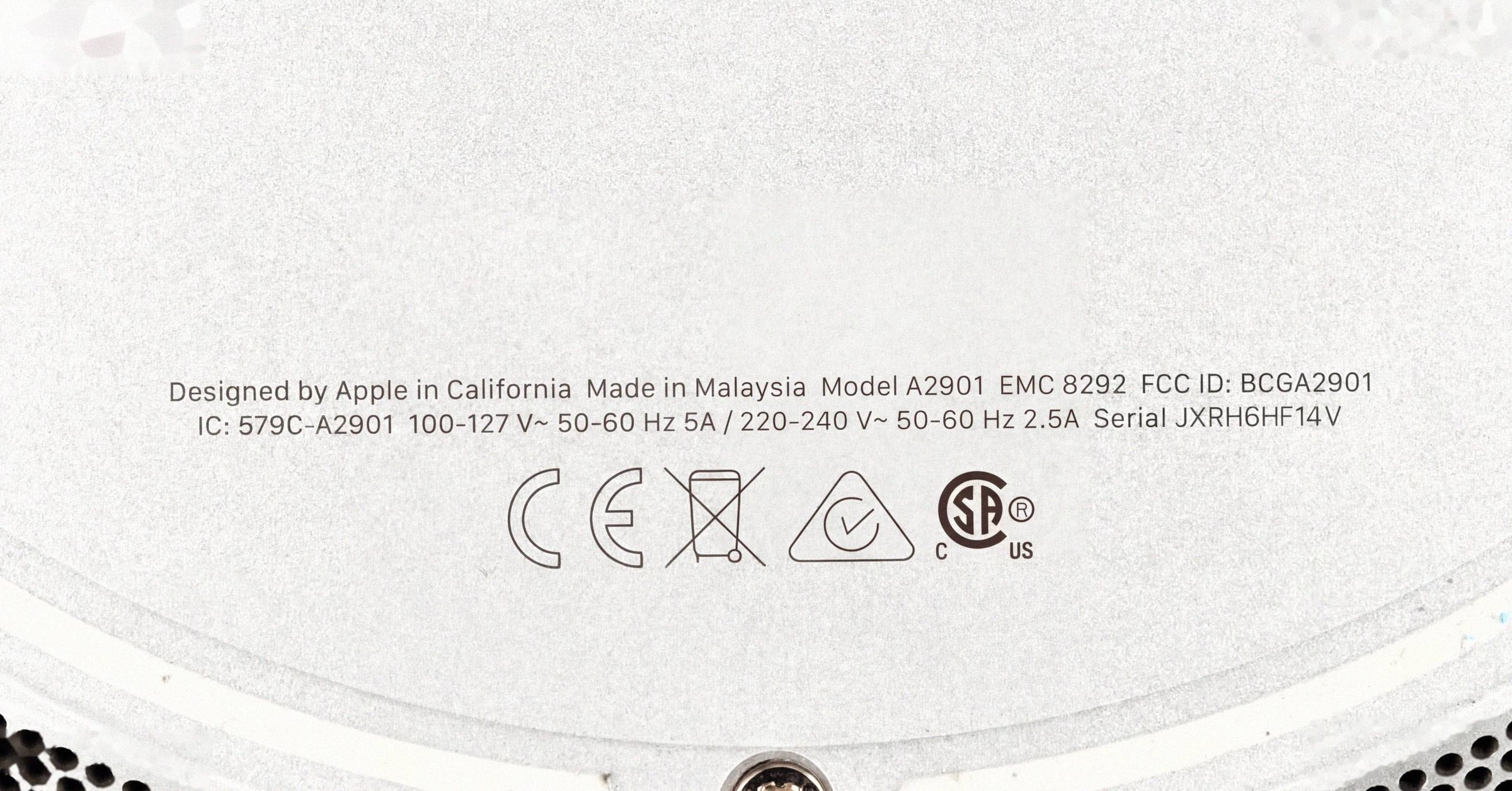
The Mac won't power on. With a healthy Mac, you'd open About This Mac or run system_profiler SPHardwareDataType (see the About This Mac and Terminal walkthrough). When the Mac is bricked or has a dead screen, neither path works. The serial is also etched on the chassis underside in light-gray text (per the serial-location guide for each Mac family), but it's small enough that OCR misreads on dark anodized aluminum are common: 8↔B, 0↔D/Q, 1↔7, 5↔S. Pulling it from your account is more reliable than squinting at the etching. For other no-boot recovery paths (Recovery Terminal, original packaging), see how to find a Mac's serial when it won't boot.
The Mac was stolen or lost. Police reports almost always ask for a serial, and insurance claims require one. Find My can help with location, but the report itself needs the chassis serial. If you registered the device with your Apple ID at any point, the account list still has it after the Mac is gone.
You sold the Mac years ago and now need its serial. AppleCare claims on related devices, tax records, or warranty disputes can all surface a need to confirm a Mac's identity long after it's left your hands. The account list keeps the entry until you explicitly remove it. (Apple keeps the underlying record on its end regardless.)
You're selling and the buyer wants the serial up front. A reasonable ask. They should run it through checkcoverage.apple.com before sending money to confirm the listing is accurate; the Apple Coverage Check field reference walks through every result state. Pulling the serial from your account is faster than rebooting the Mac or flipping it over to read the etching.
Receipts, packing slips, and reseller invoices#
Apple's order confirmation emails don't always show the serial. They typically reflect the order at the SKU level, not the unit level. But three other paper sources usually do:
- Apple's own printed retail receipts and packing slips include the serial.
- Reseller invoices from Best Buy, Amazon, B&H, carriers (T-Mobile, Verizon when they sold Macs), and education resellers carry the serial in the line-item detail.
- The retail box's barcode sticker lists Serial No. and Part No. (the
MNEH3LL/Astyle code). When the barcode is scanned, the serial appears with a leadingSdelimiter that's a barcode-protocol marker, not part of the serial itself. Strip it before any lookup.
The Apple Account device list is the fastest path when you don't have paper handy; the paper sources are the fallback when the device was never signed in with your Apple ID.
For organizations: Apple Business Manager and MDM#
The personal-account device list has a fleet-side equivalent. Apple Configurator 2, Apple Business Manager, and Apple School Manager surface serials for enrolled devices, as do third-party MDMs (Jamf, Kandji, Mosyle, Intune) via the standard MDM DeviceInformation query. A managed Mac shows up in the organization's MDM console with its serial, regardless of whether the end user has signed into a personal Apple ID.
For a Mac that's both personally owned and work-enrolled, both lists reflect the same serial.
One service-replacement caveat#
If Apple ever replaced the device (or just its logic board) under warranty or AppleCare+, the device list reflects the current serial, not the original.
Apple's internal Global Service Exchange (GSX) records preserve the link between the original serial and any replacement-device serial. Warranty inherits to the replacement automatically. The AppleCare clock doesn't reset and your original purchase date is preserved on the back end. But the visible serial in your account is the latest one.
Two practical implications:
- If you're filing a stolen-Mac police report and the device went through Apple's service program at some point, the serial in your account today may not match the serial on the original retail receipt. Both are valid; an Apple Support call with both numbers will resolve the link.
- Buyers cross-referencing a seller's claimed serial against the seller's account screenshot will see the current serial. A mismatch between the chassis-etched serial and the account-list serial is a sign of a logic-board replacement, not necessarily fraud, though it's worth probing.
What the list won't tell you#
It's not a complete provenance record. The device list shows what Apple's servers know about devices tied to your Apple ID; it doesn't tell you the original retail purchase date (only the registration/activation date, which can lag retail sale by days or weeks), the original retailer, the exact CPU/RAM/SSD configuration, or any prior repair history. Those data classes either live in the order number (MNEH3LL/A style) or in GSX, which is accessible only through Apple Support or an Apple Authorized Service Provider.
A Mac that was never signed into your Apple ID won't appear in your device list. If you bought a Mac used and never set it up with iCloud, or if you're trying to look up a work-managed device you don't have administrative control over, the list will be silent.
What this means for sellers and buyers#
For sellers, the account device list is a free, authoritative way to confirm the serial of a Mac you're listing, even one you've already wiped and packed for shipping. List the serial alongside the part number and Model Identifier in the listing itself; buyers running Check Coverage before sending money will appreciate not having to ask.
For buyers, ask the seller for the serial up front. A seller who can pull it from their own account in three clicks shouldn't refuse, and a refusal is worth treating as a signal. The serial on its own won't tell you everything (original price, configuration, and repair history live elsewhere) but it gates the lookup that does tell you the model and warranty status, which are the two facts most worth verifying before paying.
Have a serial in front of you? The Macfax lookup reads the model, year and configuration, and shows what Apple's own tools leave out.
Related posts
Apple Z part number on a CTO Mac: how to read the build-to-order code
Custom-configured Macs ship with a Z-prefix Apple part number (e.g. Z18L000SW) instead of the standard MNEH3LL/A retail SKU. On a post-2021 randomized serial, the Z-number is often the only identifier on the unit that still encodes the original build.
How to identify a MacBook from photos alone, when there's no serial
Identify your MacBook (or any 2015-or-later Mac) from listing photos with no serial in sight. Four signals do the work: port layout, display geometry, function row vs Touch Bar, and color/finish.
Apple serial number decoder: how to read a Mac serial and its manufacture date
An Apple serial number decoder for every Mac serial format: the 11-character serials from before 2010, the 12-character serials from 2010 to 2021 with a worked example and the manufacture date they carry, and what changed with the randomized serials Apple has issued since 2021.
Written by
Marcus WilliamsMarcus Williams covers Mac hardware and repair for Macfax. He spent six years on the bench at an Apple Authorized Service Provider in the Pacific Northwest before going independent, most of that time on logic-board repair, display assembly swaps, and the failure patterns Apple's diagnostics don't surface. He writes about what's inside a Mac, what breaks first, and what a serial number can and can't tell you about a unit's history.
More posts by Marcus →