Apple Silicon Mac hardware explained: the complete technical reference
Apple Silicon Mac hardware in one reference: the M-series chip template, the Secure Enclave, on-die storage, and the identity primitives that tie Check Coverage, Parts and Service, and App Attest to a single SoC.

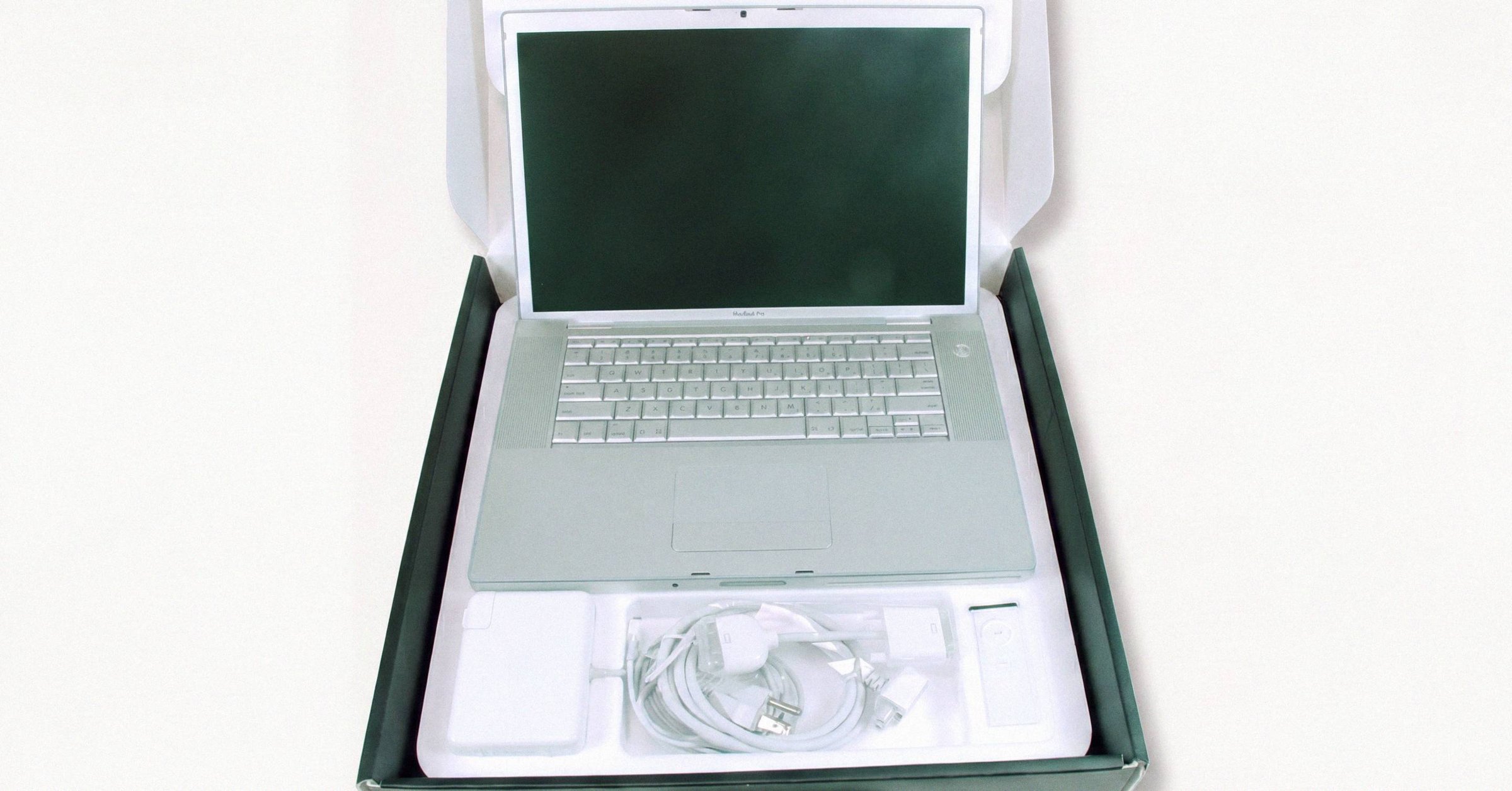
Every Apple Silicon Mac sold today is one design template scaled five ways. M1, M2, M3, M4, M5: same block diagram, different process nodes, different die sizes, different architectural extensions. That single fact explains most of what is odd about modern Macs, including why the RAM is non-upgradeable, why the SSD is not replaceable, why a damaged logic board can take user data with it, and why a Parts & Service row in System Settings can flag a part as "Unknown" without any user input.
This is a reference, not a tour. It walks from the M-series template down through the Secure Enclave, the on-die storage controller, the identity hierarchy, and the cryptographic primitives Apple uses to extend that identity into third-party apps. Apple's Platform Security guide is the primary source throughout. For the buyer-facing companion that turns this architecture into a pre-purchase checklist, Macfax's free diagnostic for any Mac is what is actually exercised against the device.
The M-series template#
Every M-series SoC ships the same blocks:
- ARM AArch64 cores in a heterogeneous P/E (performance / efficiency) configuration. Thread allocation runs at the hardware scheduler. Apple does not implement SMT/hyper-threading, in part to reduce the side-channel surface.
- A tile-based deferred-rendering GPU (TBDR lineage inherited from the A-series).
- A Neural Engine for fixed-function ML acceleration.
- One or more dedicated media engines for hardware HEVC/H.264 (and on M3+, AV1 decode).
- A Secure Enclave Processor (SEP).
- A unified LPDDR memory pool, packaged directly onto the SoC substrate, addressed by CPU, GPU, Neural Engine, and SEP through one memory controller.
That last point is the one that confuses most discussions of "soldered RAM." The LPDDR packages are not soldered to the logic board in the way that DIMM sockets historically were soldered to motherboards. They are part of the system-in-package itself, sitting on the SoC carrier next to the M-series die. There is no slot to remove, and there is no module to upgrade. It is physically part of the chip.
Apple scales this template along three axes.
Process node. TSMC N5 (M1) → N5P (M2) → N3B (M3) → N3E (M4) → N3P (M5). N3B had known yield problems and is not used post-M3.
Die size and replication into tiers. Base / Pro / Max / Ultra, where Ultra is two Max dies fused via UltraFusion silicon interposer. Within a generation the bandwidth ladder is consistent: ~100-120 GB/s on a 128-bit bus at base, 200-273 GB/s at 256-bit on Pro, 400-546 GB/s at 512-bit on Max, and roughly double the Max on Ultra.
Architectural feature additions. ProRes encode/decode engines appear on M1 Pro and up. AV1 hardware decode arrives with M3. Dynamic Caching on the GPU arrives with M3. ARMv9-class ISA arrives with M4 (specifically ARMv9.2-A by Apple's reporting, implementing the Scalable Matrix Extension but not the Scalable Vector Extension, a configuration LLVM has identified as ARMv8.7-A in practice). Per-GPU-core Neural Accelerators arrive with M5.
As of mid-2026, M4 is the current chip in MacBook laptops and Mac mini. Mac Studio ships with M4 Max or M3 Ultra (there is no M4 Ultra). The M5 family was announced October 15, 2025, for iPad Pro, 14-inch MacBook Pro, MacBook Air, and Vision Pro, with M5 Pro/Max in newer MacBook Pros. macOS Tahoe 26 is current. The generation-by-generation breakdown of every M-series chip covers the full lineage in one comparative table.
UltraFusion#
UltraFusion is Apple's interconnect between the two Max dies that make up an Ultra. It is not a substrate-level chiplet fabric. It is a high-density passive silicon interposer carrying over 10,000 signals at approximately 2.5 TB/s of bi-directional die-to-die bandwidth (per the M1 Ultra announcement and the 2025 Mac Studio launch). Software sees a single SoC; cache coherence is maintained transparently across the two dies; there is no NUMA penalty exposed to applications. How the silicon interposer fuses two Max dies into one SoC walks through the packaging in detail. UltraFusion has been used in M1 Ultra (March 2022), M2 Ultra (June 2023), and M3 Ultra (March 2025). Apple has never shipped an M4 Ultra.
Unified Memory Architecture and Dynamic Caching#
UMA places LPDDR4X (M1) or LPDDR5/5X (M2+) packages directly on the SoC substrate, served by one memory controller, addressed symmetrically by CPU, GPU, Neural Engine, and SEP. The engineering payoff is the elimination of the buffer-copy overhead that occurs across a PCIe bus between system memory and discrete GPU memory on conventional architectures.
Dynamic Caching arrived with M3. Instead of statically reserving GPU memory for shaders based on worst-case requirements at compile time, the M3 GPU allocates hardware registers, threadgroup memory, and stack space to executing shaders on demand. Apple calls it the most significant GPU architectural shift in the M-series to date, and it materially reduces the effective memory footprint of heavy rendering workloads. The detailed walkthrough of UMA and Dynamic Caching covers why these two pieces sit together.
The Secure Enclave#
The SEP is a physically isolated coprocessor on every modern Apple SoC. It runs its own operating system (sepOS, an Apple-customized L4-family microkernel historically derived from the Darbat/L4-Darwin lineage) in cryptographically isolated DRAM, executing a separate signed boot chain from the main Application Processor. It maintains cryptographic security boundaries even when the macOS kernel is fully compromised. Apple's Platform Security guide is the canonical source. For a longer walkthrough of how the on-die security coprocessor boots, see the dedicated SEP post.
SEP hardware components:
- Boot ROM: mask ROM, immutable, contains the SEP's root-of-trust public key.
- Memory Protection Engine (MPE): cryptographically protects the DRAM region iBoot reserves for the SEP at startup.
- Dedicated AES engine inside the SEP for SEP-internal cryptography. Distinct from the SoC-level inline AES engine used for storage encryption, which lives next to the flash controller and is keyed by the SEP.
- True Random Number Generator: ring oscillators with entropy mixing.
- Public Key Accelerator for RSA and elliptic-curve operations.
- Secure non-volatile storage: historically EEPROM on the package; from the A12/T2 generation onward, a discrete Secure Storage Component on the logic board.
Communication between the Application Processor and the SEP is restricted to an interrupt-driven hardware mailbox and isolated shared-memory buffers. The AP cannot access the SEP's internal registers.
Root identifiers: UID and GID#
Two hardware-fused identifiers anchor the entire encryption hierarchy:
- UID (Unique ID): per-device, fused into the SoC at manufacture. Apple's wording: "not accessible to other parts of the system and not known to Apple." Used to derive device-specific keys.
- GID (Group ID): per-SoC-model, used for personalized firmware decryption and similar operations.
When the SEP boots, it derives an ephemeral key from the UID, tangled with the boot-measured sepOS hash. Keys wrapped by the SEP can be released only when the booting sepOS hash matches and the UID-derived key reproduces. This is the principle behind Sealed Key Protection (SKP): FileVault and Data Protection keys are released only after the kernel attests an unmodified boot environment to the SEP.
Memory Protection Engine#
The SEP has no general-purpose RAM of its own. It operates in a dedicated region of main DRAM allocated by iBoot during early boot, cryptographically isolated by the MPE:
- At boot, the SEP Boot ROM generates a random ephemeral memory protection key entangled with the UID.
- SEP writes to DRAM are encrypted inline using AES in Xor-Encrypt-Xor (XEX) mode.
- A CMAC tag is calculated for every written block for integrity.
- A Merkle-like integrity tree, rooted in high-speed dedicated SRAM inside the physical Secure Enclave die, protects anti-replay values.
- On a read whose calculated CMAC or replay value does not match, the MPE raises a hardware interrupt and the SEP halts, requiring a physical reboot to recover.
On A14, M1, and subsequent SoCs the MPE supports two distinct ephemeral memory keys: a primary key for private SEP operations and a secondary key for data shared dynamically with the Secure Neural Engine (used by Face ID / Optic ID matching).
Secure Storage Component and Counter Lockboxes#
Anti-replay is the hardest problem in secure storage. An attacker who can rewind on-package NVRAM can replay an old passcode-attempt counter and brute-force a PIN offline. From the A12/T2 generation onward, Apple's answer is the discrete Secure Storage Component (SSC) on the logic board with its own microcontroller, immutable ROM, internal RNG, dedicated cryptographic engines, and active physical tamper-detection circuitry. The SEP and SSC perform mutual authentication and run an encrypted/authenticated session over a dedicated I²C bus.
2nd-generation SSC (rolled out after Fall 2020) implements Counter Lockboxes. Each lockbox stores a 128-bit salt, a 128-bit passcode verifier, an 8-bit attempt counter, and an 8-bit maximum attempt limit (typically 10). On a failed attempt over threshold, the lockbox permanently destroys its entropy keying material, and any filesystem bound to it becomes unrecoverable by design. The full mechanics of hardware-enforced passcode brute-force resistance are covered in the dedicated SSC post.
State transitions that alter cryptographic bounds (passcode change, biometric re-enrollment, registering Apple Pay, Erase All Content and Settings) update a physical anti-replay nonce on the SSC, immediately invalidating old key hierarchies.
Storage: Apple Neural Storage#
In a PC, an SSD is a PCIe endpoint with its own NVMe controller and FTL. On an Apple Silicon Mac, the logic board contains only raw NAND flash chips. The storage controller is on the SoC: a coprocessor Apple calls Apple Neural Storage (ANS), handling bad-block management, physical block addressing, garbage collection, and wear leveling.
Per the Platform Security guide, the AES engine "located outside the secure enclave, together with the Flash controller, has a secure link to the enclave," and the SEP injects per-boot ephemeral wrapping keys into the AES engine over that link. Every read and write passes through this engine using AES-256 in XTS mode.
To isolate main memory from direct DMA by the storage coprocessor, Apple implements a proprietary IOMMU variant called SART (Secure Address Resolution Table) plus a separate NVMMU for NVMe commands. NVMe commands submit linear queues directly through memory-mapped I/O registers rather than a standard PCIe BAR. Standard Linux/BSD NVMe drivers cannot speak this protocol. Running Linux on Apple Silicon (via Asahi Linux) requires a custom apple-nvme driver that implements the linear submission queue model and interfaces with SART.
The user-facing consequence: because the controller is on-die and the NAND is soldered, the SSD cannot be replaced as a discrete unit on Apple Silicon. NAND wear-out or failure becomes a logic-board fault and is treated as a full board replacement in service. From M1 Pro/Max onward, in-the-field SSD replacement is not a documented service procedure. The empirical wear picture is in the smartctl-on-macOS reference, and reading Apple Silicon NVMe SMART data with smartctl decodes each SMART field a Mac's NVMe driver returns.
Hardware identity, two serials in two places#
Every Mac has at least two locations where a serial number lives:
- Chassis serial: laser-etched into the enclosure metal. Purely a physical marker, not electronically readable on its own. Apple's Check Coverage tool and warranty registration key off this serial.
- Logic-board serial: programmed at manufacture into board-resident non-volatile memory. On Apple Silicon Macs this NVRAM is accessible to iBoot and recoveryOS through controlled paths and is read by the SEP and the OS for identity surfaces.
On a virgin machine the two match. When a chassis or logic board is replaced individually, they can diverge, and divergence is detectable in software with no special tools.
The full identifier hierarchy on Apple Silicon:
- Serial Number:
IOPlatformSerialNumber. Board NVRAM, factory-written. - Hardware UUID:
IOPlatformUUID, derived per-device. - Provisioning UDID: used for software provisioning.
- ECID (Exclusive Chip Identifier): 64-bit, baked into the SoC at fabrication, used by Apple's signing infrastructure to personalize firmware.
- UID and GID: fused into the chip die. The UID is the secret root.
Reading from Terminal:
$ system_profiler SPHardwareDataType
$ ioreg -l | grep IOPlatformSerialNumber
The serial number is not fused into the SoC die. It lives in board-resident NVRAM, which is why Apple's internal "Set Serial Number" tooling exists. Replacement boards arrive blank; the original chassis serial is flashed into the new board during service. If that step is skipped, system_profiler returns an empty string or a placeholder.
This means three legitimate pathways produce a chassis/board serial mismatch: a board swap where the technician forgot the serial-write step, an outright chassis swap, or a refurbished/grey-market board pulled from another machine. A mismatch is unambiguous evidence that the SoC inside is not the SoC that left the factory in that chassis. It is not, by itself, proof of anything illegitimate, but it is the diagnostic signal worth knowing about.
Parts & Service#
Apple introduced a Parts and Service pane for the Mac in macOS, documented at About Mac parts and service history. As of macOS Tahoe 26 it lives under System Settings → General → About → Parts & Service. The row only appears if the Mac detects a repair. A stock, never-serviced machine shows nothing.
Four status labels per detected repair:
- Genuine: repair used a genuine Apple part and Apple's calibration/pairing process completed successfully.
- Unknown: replacement is non-genuine, has not been verified and linked after repair, is not functioning as expected, or has been modified.
- Unverified: logic board was previously replaced; using an unverified logic board can disable features such as Apple Pay.
- Used: part is genuine Apple but was previously installed in another Mac.
"Genuine" is not a static signature check. It is the result of a calibration and pairing process run against Apple's servers. Each Apple part has a serial associated at manufacture with calibration data that lives in Apple's repair systems. During service, Apple's Repair Assistant (or GSX at an Apple Store/AASP) pulls calibration data and pairs the part to the host logic board. Until pairing completes, the pane shows Finish Repair and the part may have reduced functionality.
Tracked components vary by family. MacBook Pro / Air track logic board, Touch ID, lid angle sensor (M5 models), and display. iMac, Mac mini, Mac Studio, and Mac Pro only track logic board. The lid-angle-sensor row is its own story: calibrating a replaced display requires a roundtrip to Apple's servers and the pairing is one-way.
Cryptographic identity, extended#
The same identity hierarchy that anchors FileVault and Apple Pay extends into third-party software via Apple's attestation framework. The hierarchy starts at fab:
- Silicon Identity Key (SIK): asymmetric key pair generated natively within the SEP during chip manufacture. The private key never leaves the SEP; the public key is recorded by Apple's servers during physical SoC manufacturing.
- Silicon Certificate (scrt): issued by Apple's manufacturing servers, binding the SIK public key to the device's physical chip ID and manufacturing records.
- User Identity Key (UIK): generated when the user activates the device and links it to an Apple Account.
- User Certificate (ucrt): issued by Apple's activation servers, binding the UIK to the device's physical SIK.
Apple's Attestation process security is the canonical writeup.
App Attest (part of the DeviceCheck framework, added in iOS 14) is the consumer-facing extension of this hierarchy. Apple's developer documentation at Establishing your app's integrity is the authoritative source. App Attest gives a backend cryptographic evidence of two distinct properties:
- The request is generated by a genuine, unmodified instance of a specific app (TeamID + BundleID).
- That instance is running on genuine Apple hardware with a working Secure Enclave.
The protocol revolves around a single SEP-resident ECDSA P-256 key pair, generated per app install. The private key never leaves the Enclave. The keyId is the SHA-256 hash of the public key. Once per key, the app obtains a server challenge and calls attestKey, which contacts Apple's App Attest service and receives a CBOR-encoded attestation object in WebAuthn / FIDO2 packed-attestation format. The backend then verifies the x5c chain to Apple's App Attest Root CA, reads the credCert extension at OID 1.2.840.113635.100.8.2, and confirms the embedded nonce equals SHA-256(authenticatorData || clientDataHash). Servers must also verify the AAGUID (production is bytes of appattest, sandbox is appattestdevelop); accepting sandbox attestations in production is a security hole.
App Attest does not detect jailbreak, does not prevent MITM, and does not stop a determined attacker who proxies a real device's assertions. The right mental model: it is an excellent per-install identity primitive that makes large-scale automated abuse expensive without an Apple device fleet. It is not DRM. See the server-side App Attest validation walkthrough for the credCert, nonce, and AAGUID checks in detail.
Apple Silicon Macs support App Attest through the same SEP-backed mechanism. T2 Intel Macs predate the API and do not support it the same way. The T2 chip itself was the bridge generation between pre-T2 Intel Macs and the modern Apple Silicon platform.
What this means for owners and buyers#
Two architectural threads tie the modern Mac together, and both of them are worth understanding before you buy or sell one.
Hardware identity is now physical, not paper. Every Mac sold today has an SoC-fused identity (UID, GID, ECID), a SEP that anchors that identity to monotonic anti-replay state in the SSC, and a chain of board-resident NVRAM that ties the SoC to the rest of the machine. Secure boot, FileVault, Touch ID, Apple Pay, Activation Lock, Parts & Service, App Attest: all different renderings of the same identity. The user-visible diagnostic surfaces (Check Coverage, About This Mac, System Settings → Parts & Service) expose only the safe, readable parts of that hierarchy. The rest is mediated through SEP-signed RPCs that no software can fake.
Non-replaceability is the design consequence. By integrating the SSD controller, AES engine, and SEP into the SoC, and by cryptographically binding NAND, biometric sensors, and the logic board to that SoC at calibration time, Apple has eliminated a large class of supply-chain and tampering threats. The cost is that component-level repair is, for most components, no longer possible. The Parts and Service pane in System Settings is where the Mac tells you what was replaced and whether the replacement passed Apple's cryptographic pairing; it cannot meaningfully be repaired outside that pairing system. The battery is its own line item: how Battery Health Management and the 1000-cycle rating actually work covers the cell-aging side of the same identity story.
For anyone evaluating a Mac on the secondary market, the practical takeaway is short. A Mac's "real" identity is not the etched chassis serial. It is what the SoC and the board NVRAM agree on, mediated by the SEP. Check the chassis serial against system_profiler SPHardwareDataType. Check the Parts & Service pane. Run the complete guide to checkcoverage.apple.com against the software-reported serial, not the etched one. Everything else is downstream of that.
Related posts
Intel Mac vs Apple Silicon Mac: how diagnostics actually differ
Apple Silicon and Intel Macs run different diagnostic stacks. Invocation, storage architecture, Parts & Service, Battery Health Management, and third-party SMART kernel extensions all behave differently. The same code on the same screen can mean a completely different physical problem depending on the silicon underneath.
Activation Lock on M1, M2, M3, and M4 Macs: what changed across chip generations
Activation Lock enforcement on Apple silicon happens in the Low-Level Bootloader before macOS loads, gated by a LocalPolicy and a RemotePolicy certificate from Apple's servers. The mechanism is the same on M1 through M4, but macOS Tahoe 26 extended the lock down to component level via Repair Assistant.
Apple Diagnostics reference codes: every prefix and what it actually means
Apple Diagnostics reports a three-letter prefix plus three digits. ADP000 means clean. Every other prefix maps to a specific subsystem on Apple's published reference list, with very different cost implications depending on whether the issue is the battery, a soldered memory module, the display assembly, or a sensor trace severed by liquid ingress.
Written by
Marcus WilliamsMarcus Williams covers Mac hardware and repair for Macfax. He spent six years on the bench at an Apple Authorized Service Provider in the Pacific Northwest before going independent, most of that time on logic-board repair, display assembly swaps, and the failure patterns Apple's diagnostics don't surface. He writes about what's inside a Mac, what breaks first, and what a serial number can and can't tell you about a unit's history.
More posts by Marcus →