Apple Diagnostics reference codes: every prefix and what it actually means
Apple Diagnostics reports a three-letter prefix plus three digits. ADP000 means clean. Every other prefix maps to a specific subsystem on Apple's published reference list, with very different cost implications depending on whether the issue is the battery, a soldered memory module, the display assembly, or a sensor trace severed by liquid ingress.

Apple Diagnostics reference codes: every prefix and what it actually means#
Apple Diagnostics reports its result as a three-letter prefix plus three digits. ADP000 is the only clean code. Everything else maps to a specific subsystem on Apple's published reference list, and the prefix tells you which: PPT for battery, PPM for memory, PFM for the SMC, VFD for display or GPU. Memorize the prefix table and you can triage any code in seconds.
The authoritative source is Apple's "Apple Diagnostics reference codes" article at support.apple.com/en-us/102334, last published December 15, 2025. What follows is the full mapping, the cost tier each prefix lives in, and the physical causes behind the codes that show up most often on used Macs.
The prefix table#
Apple's reference list defines about 30 prefixes. They cover every subsystem the diagnostic actually probes.
| Prefix | Subsystem |
|---|---|
| ADP | No issues found |
| ALS | Ambient light sensor |
| BMT | Touch ID sensor |
| CEH | Case handle / housing latch |
| CNT | Ethernet hardware |
| CNW | Wi-Fi hardware / antenna |
| DFR | Touch Bar |
| IMU | Accelerometer / gyroscope |
| LAS | Open/close (lid) sensor |
| NDC | Camera |
| NDD | USB |
| NDK | Keyboard |
| NDL | Bluetooth |
| NDR | Trackpad |
| NDT | Thunderbolt |
| NNN | Serial number not detected |
| PFM | System Management Controller (SMC) |
| PFR | Firmware |
| PPF | Fan |
| PPM | Memory |
| PPN | Power-management system |
| PPP | Power adapter |
| PPR | Processor |
| PPT | Battery |
| VDC | SD card reader |
| VDH | Storage device |
| VFD | Display / graphics processor |
| VFF | Audio hardware |
The digits inside a prefix point at a specific failure mode. The Apple article enumerates all of them; the ones that come up in practice are below.
Cheap codes that clear with a rerun#
Some codes do not mean the machine is broken. Apple specifically calls these out as fix-and-rerun cases in the reference article.
- NDD001 (USB) and NDT001 to NDT006 (Thunderbolt) often clear after disconnecting external devices. External hubs, dongles, and bus-powered drives are the most common cause of false USB/Thunderbolt failures.
- PPP001 to PPP008 (power adapter) typically clear after verifying the correct adapter is connected and reseating it. A third-party charger that does not negotiate USB-PD cleanly is a frequent cause.
- PPP017 means both ports of the Apple 35W Dual USB-C adapter are in use during the test. Pull one cable.
- PPP020 means no adapter detected at all. Reconnect and rerun.
- CEH001 and CEH002 indicate the case handle or housing latch is not fully locked. Lock it and rerun.
- NDR007 means an external input device is detected. Disconnect the mouse or external keyboard.
- VFD010 means the Apple I/O card needs reseating; if the card is uninstalled by design, the code is expected.
If a code on this list persists across two or three reruns with the obvious external causes removed, escalate to an Authorized Service Provider.
Battery codes, graded#
The PPT prefix has the most graded codes in the entire list. Apple uses the digit to signal severity.
- PPT001: battery not detected. Hardware fault.
- PPT002, PPT003, PPT007: battery still functions but holds less charge. You can keep using the Mac while planning a battery service.
- PPT004: battery requires service. On Intel Macs, Apple specifically recommends rerunning the diagnostic over the internet with Option-D before scheduling service, because the online path fetches a fresh diagnostic image and logs an evaluation against your serial.
- PPT005: battery not installed properly. The Mac shuts down.
- PPT006: battery requires service; abnormal behavior possible.
- PPT021: battery charge too low to complete the test. Charge to at least 6% and rerun.
A common pattern after a major macOS update: a single PPT002 or PPT003 on a low-cycle-count battery with no underlying defect. macOS sometimes flips Battery Health to Service Recommended after an update on a healthy cell, and the diagnostic mirrors that flag. Rerunning a few days later, after recalibration cycles, often clears it. Confirm a PPT code with a second run before paying for service. See the cycle-count thresholds that should accompany a clean diagnostic for the values that should accompany the diagnostic when you are validating a used purchase.
The expensive codes#
Some codes mean expensive service. On a soldered-memory Apple Silicon machine, several prefixes are effectively logic-board codes.
- PPM (memory): on a soldered-memory Mac, the RAM is not separately serviceable. A PPM code points at logic-board replacement.
- PPR (processor): logic-board territory.
- PFR (firmware): logic-board territory.
- PFM (SMC): logic-board territory in most cases.
- VFD codes on the integrated display: display-assembly replacement, which is expensive on Retina and Liquid Retina XDR panels.
- VDH (storage device): on Apple Silicon the storage is wired directly to the SoC, so a hard storage code points at logic-board replacement and at a Mac that cannot boot from external media to recover data. See the smartctl SSD-trend monitoring guide for Mac storage for the trend monitoring that catches storage failures earlier than VDH does.
These are the codes that should drive a walk-away on a used purchase. PPM, PFR, and PPR on a soldered-memory machine are nearly always logic-board scope.
Why a code does not always mean a dead chip#
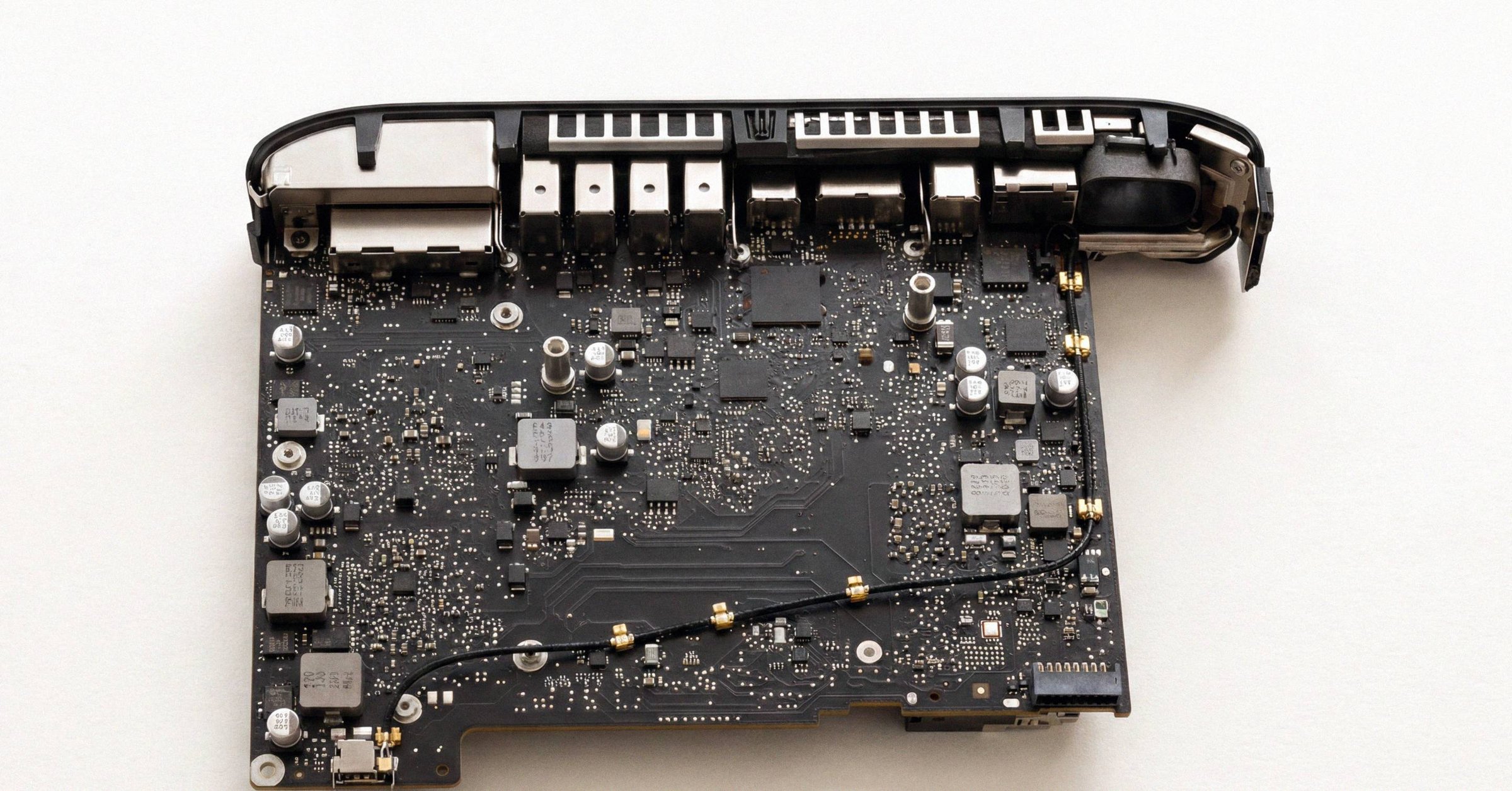
Many modern codes trace to a single severed communication trace from liquid ingress or thermal stress, not to a failed silicon component. PFM001 to PFM007 typically indicate a broken data or clock line between the SMC and a sensor it polls. The diagnostic does not know whether the trace is severed or the controller is dead; it only knows that a read it expected to succeed failed.
Two concrete examples from the field:
- On an Intel logic board, PFM006 can register because the trackpad housing contains a temperature sensor that must talk to the SMC. A severed trackpad data line, characteristic of liquid corrosion attacking pull-up resistors near a port, will register PFM006 even though the SMC is fine.
- On an Apple Silicon board, PFM006 can mean an open circuit on the battery data bus. The PMU can no longer read the battery's smart gas-gauge telemetry, so the SMC channel registers as broken.
Same code. Two different physical causes. A board-level repair shop with a microscope and a known schematic can often resurrect a board with a clean trace severance for a fraction of the cost of an Apple board swap. Apple itself will not perform that repair; it sells board replacements. The economics of a PFM code depend heavily on where the Mac ends up. The AASP-vs-IRP-vs-self-service-vs-unaffiliated decision tree sits in the Mac repair channel comparison.
Relationship to legacy AHT codes#
The current scheme replaced the verbose error strings of the pre-2013 Apple Hardware Test (AHT), which used a 4XXX/X/X0000000X format. Under the old scheme:
- 4SMC meant a System Management Controller error.
- 4HDD meant a storage-interface failure.
- 4MEM meant a RAM module failure.
- 4MVD meant a dedicated GPU memory address failure.
- 4PRC meant a CPU register execution error.
When Apple rewrote the test engine in 2013, 4HDD became the VDH storage domain, 4SMC was broken out into the PFM domain, 4MEM moved to PPM, and 4PRC moved to PPR. The new taxonomy is finer-grained: PFM has seven subcodes (001 to 007) that point at different sensor anomalies, where 4SMC was one bucket for "something SMC."
If you are working on a pre-2013 Mac that still uses AHT, the legacy strings still apply. Anything Apple Silicon is on the modern scheme.
How to read codes in practice#
A few rules that tend to hold across used-Mac diagnostic work:
- Rerun any intermittent code two or three times before concluding a failure. The diagnostic is fast (2 to 5 minutes per run) and intermittent codes are common, especially in PPP, NDD, and NDT.
- Treat PPT002, PPT003, and PPT007 as "service planning," not "service today." The Mac is fine to use.
- On a soldered-memory machine, PPM is the bad code to see on a used purchase. Walk away unless the seller has a documented Apple repair invoice that explains it.
- PFM on a board with obvious liquid corrosion can sometimes be fixed by a board-level shop for a fraction of an Apple repair. PFM on a board with no visible damage is usually a "ship to AASP" answer.
- The escalation path is built into the results screen: Command-G or "Get started" reboots the Mac to a Safari page that pre-fills Apple's support flow with your serial number and codes. Apple Support expects customers to have used this path before calling.
What this means for you#
The full reference list looks intimidating until you internalize the prefix table. After that, any code triages in two steps: read the prefix, decide cost tier; read the digit, decide severity within that tier. ADP000 is clean. PPT002/003/007 are battery planning, not battery emergencies. PPM, PFM, PFR, PPR, and VFD on the integrated display are the expensive ones. NDD, NDT, PPP, and CEH usually clear with a rerun once the obvious external cause is removed.
For a full diagnostic stack walkthrough that goes beyond the codes into SSD wear, battery condition, and Tahoe 26 Parts & Service, see the diagnostic guide. For the cluster mate that goes deeper into what the codes do not catch even when they all return clean, the next post in this series is what Apple Diagnostics still misses even after a clean pass.
Related posts
Apple Diagnostics: how to start the test on Apple Silicon and Intel Macs
Apple Silicon Macs start Apple Diagnostics from the startup-options window with Command-D, not the old hold-D-at-boot keystroke. Here's the exact sequence on both architectures and what to disconnect before you start.
How to use Apple Diagnostics: invocation, ADP000, and what to do next
Apple Diagnostics returns one of two things: ADP000 (no issues found) or a three-letter-plus-three-digit code. ADP000 is shallow by design. Here's how to read the result, when to rerun, and which third-party tool fills which gap.
How to run diagnostics on a Mac: every method compared
There are five consumer-accessible ways to test a Mac's hardware health (Apple Diagnostics, CoconutBattery, smartctl, DriveDx, EtreCheck) and one technician-only stack you cannot run yourself. Each answers a different question. Running one is not running all five.
Written by
Marcus WilliamsMarcus Williams covers Mac hardware and repair for Macfax. He spent six years on the bench at an Apple Authorized Service Provider in the Pacific Northwest before going independent, most of that time on logic-board repair, display assembly swaps, and the failure patterns Apple's diagnostics don't surface. He writes about what's inside a Mac, what breaks first, and what a serial number can and can't tell you about a unit's history.
More posts by Marcus →