Apple Diagnostics test failed: how to read the code and decide next steps
Apple Diagnostics returns a three-letter-plus-three-digit reference code when something fails. Some codes clear after disconnecting peripherals or fully seating a latch. Others mean a logic board. The triage is in the prefix, and in whether the code persists across reruns.

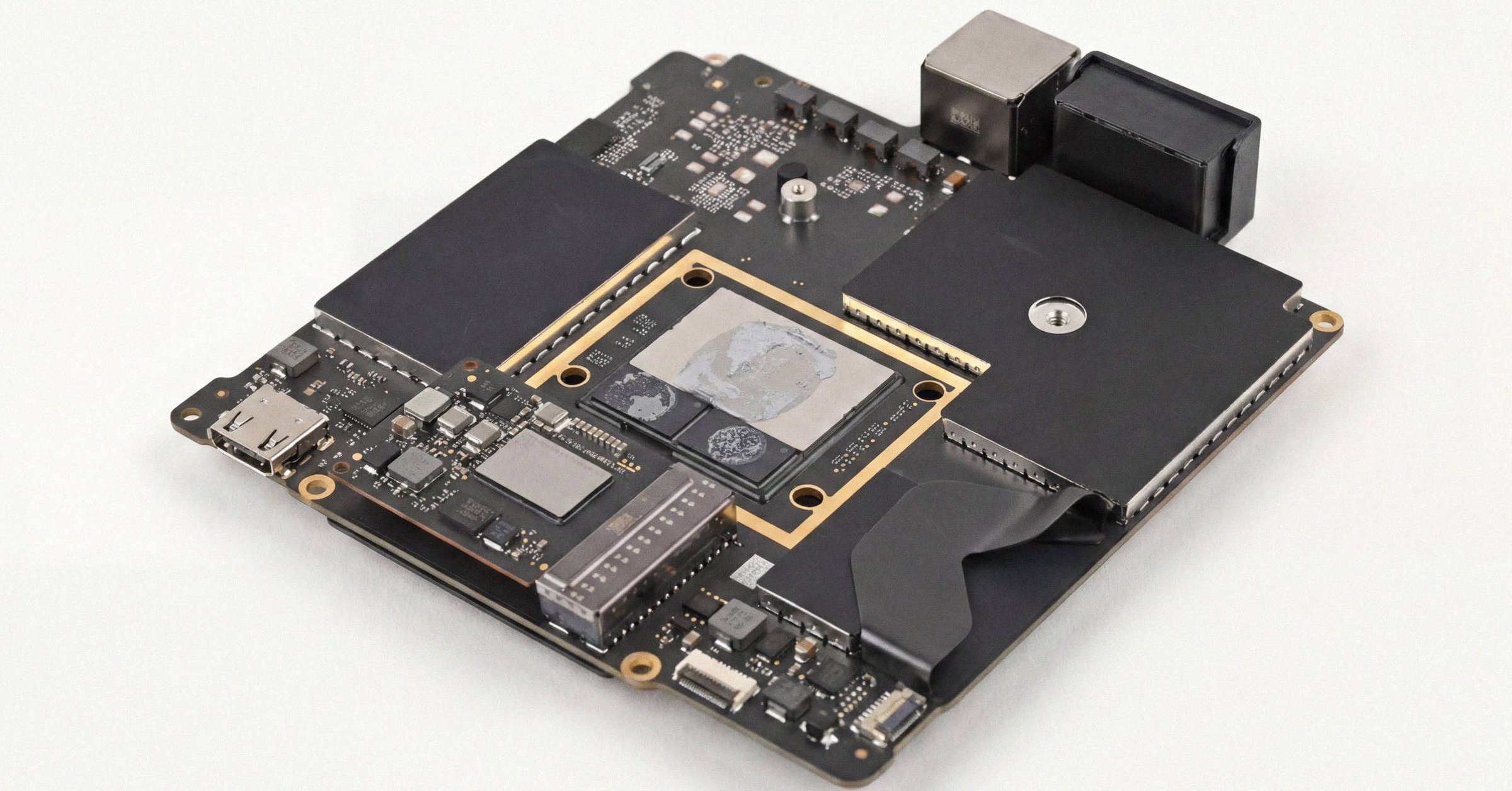
Apple Diagnostics test failed: how to read the code and decide next steps#
Apple Diagnostics returned a code that is not ADP000. The right next step depends on the three-letter prefix and on whether the code persists across reruns. Some codes are fix-and-rerun (NDD for USB, NDT for Thunderbolt, PPP for the power adapter, CEH for the case latch). Some codes mean a logic board (PPM, PPR, PFR, PFM, VFD on the integrated display). Battery codes are graded by digit: PPT002, PPT003, and PPT007 explicitly mean you can keep using the Mac. The whole triage flow is four steps and prevents most of the unnecessary service appointments people book on a single, unconfirmed code.
This post walks through the rerun protocol, the fix-and-rerun prefixes, the codes that genuinely mean book service, the SMART thresholds that warrant action even on a clean ADP000, and the Command-G escalation path Apple expects you to have used before calling Support. For the broader stack this triage sits inside, see the 2026 Mac diagnostics pillar; for every prefix and what each digit means, the Apple Diagnostics reference codes walkthrough.
Step 1: rerun two or three times before concluding a failure#
Intermittent codes are common. Apple's reference-code article (last published December 15, 2025) specifically calls out rerun-and-confirm for battery codes on Intel Macs, where the recommendation is to rerun over the internet with Option-D. The online path retrieves a fresh diagnostic payload from Apple's servers and logs an evaluation against your serial. Apple Support agents expect to see that confirmation before they will book a battery service under warranty.
Between reruns, let the Mac cool 2 to 3 minutes if a thermal-adjacent subsystem flagged (PPF for fan, anything that could be heat-correlated). Disconnect anything that is not keyboard, mouse, display, Ethernet, and AC power. Peripherals are the most common source of false NDD and NDT codes.
Treat 2 of 3 reruns as the threshold for "consistent failure." A single code that does not reproduce on rerun is informational. Persistent across reruns is what flips a code from "noise" to "service."
Step 2: triage by prefix#
Apple Diagnostics codes follow a three-letter prefix plus three digits. The prefix names the subsystem. The triage splits into three buckets.
Fix-and-rerun codes#
These often clear after a small change. If they clear, the code did not indicate hardware failure.
| Code(s) | Subsystem | Fix |
|---|---|---|
| NDD001 | USB hardware | Disconnect external USB devices, rerun |
| NDT001 through NDT006 | Thunderbolt hardware | Disconnect Thunderbolt devices, rerun |
| NDR007 | External input device detected | Disconnect the device, rerun |
| CEH001 / CEH002 | Case handle / housing latch | Fully lock the latch, rerun |
| PPP001 through PPP008 | Power adapter | Verify correct adapter, reconnect, rerun |
| PPP017 | Both ports of Apple 35W Dual USB-C adapter in use | Use only one charging port during test |
| PPP018 | Fast charging not supported with current adapter | See Apple Support 102378 |
| PPP020 | No power adapter detected | Verify and reconnect adapter, rerun |
| VFD010 | Apple I/O card | Reseat the card; if uninstalled, code is expected |
| PPT021 | Battery below 6 percent | Charge above 6 percent, rerun |
The pattern across these: an external condition is triggering the code, not the Mac's own hardware. Remove the external condition, the code clears.
Codes that mean book service#
These are logic-board or service-required cases. They do not clear with reboots, peripherals removal, or rerun.
| Code(s) | Subsystem | Why this means service |
|---|---|---|
| PPM001 through PPM016 | Memory | On soldered-memory Apple Silicon, logic-board replacement |
| PPR001 | Processor | Logic-board territory |
| PFR001 | Firmware | Logic board |
| PFM001 through PFM007 | SMC / PMU | Often a severed communication trace from liquid ingress or thermal stress; AASP |
| PPN001 / PPN002 | Power-management system | AASP |
| VFD001 through VFD007 | Display / GPU | On integrated displays, display-assembly replacement (expensive on Retina / Liquid Retina XDR) |
| VFD008 / VFD009 | HDMI controllers | AASP |
| VFD011 | Antenna connector board | AASP |
| NNN001 | Serial number not detected | Often logic board |
Many modern codes in this bucket trace back to liquid ingress or thermal stress severing a communication trace on the board. SMC/PMU faults (PFM001 through PFM007) typically indicate a broken data or clock line between the controller and a sensor, characteristic of liquid corrosion attacking pull-up resistors or trace lines.
Battery codes, graded by digit#
Battery codes are not all failures. The third digit tells you which case you are in.
| Code | Meaning | Action |
|---|---|---|
| PPT001 | Battery not detected | AASP |
| PPT002 / PPT003 / PPT007 | Battery still functions but holds less charge | Keep using the Mac; plan service on your schedule |
| PPT004 | Battery requires service | Intel: rerun over internet with Option-D; Apple Silicon or repeat: AASP |
| PPT005 | Battery not installed properly | AASP |
| PPT006 | Requires service, abnormal behavior possible | AASP |
| PPT021 | Below 6 percent | Charge and rerun |
PPT002, PPT003, and PPT007 are explicitly "you can keep using it" codes. macOS has been documented to flag Service Recommended after a major OS update at very low cycle counts (155 or 179 in user-reported cases) with no underlying defect, which is why Apple specifically recommends rerunning to confirm a PPT code before paying for service. For the cycle-count and Maximum Capacity context that should accompany any PPT code, see the battery diagnostic walkthrough.
Wi-Fi codes#
| Code | Meaning | Action |
|---|---|---|
| CNW001, CNW003, CNW004, CNW005, CNW006, CNW009 | Wi-Fi hardware | AASP |
| CNW007 / CNW008 | No networks detected, out of range or radio fault | Rerun in range first |
CNW007 and CNW008 are the only Wi-Fi codes that are environment-side. Rerun in a place with known networks before concluding the radio is dead.
Step 3: SMART thresholds that warrant action even on ADP000#
Apple Diagnostics is a presence/threshold test, not an exhaustive functional test. ADP000 means monitored components are within electrical and sensor tolerances; it does not confirm storage endurance, SSD wear, or sustained-load thermal behavior. Three readings from sudo smartctl -a /dev/disk0 should change your action regardless of what Apple Diagnostics returned:
- Available Spare at or below Available Spare Threshold. This is the actual NVMe failure trigger from the spec. Apple's Threshold is often reported as 99 not 10, so the relationship between Spare and Threshold matters, not the absolute numbers.
- Critical Warning anything other than 0x00. Any bit set is an alarm condition.
- Media and Data Integrity Errors above zero. Any non-zero value is a hard red flag.
Any of those: back up immediately, stop relying on the machine for primary work. Percentage Used at 90 percent or higher implies wear-out within 1 to 2 years at current rate, which on Apple Silicon means logic-board service or device replacement.
For the full NVMe SMART read, see the smartctl walkthrough.
Step 4: Apple's escalation path#
The results screen has Command-G or "Get started" as an option, which reboots the Mac to a Safari page that pre-fills Apple's support flow with your Mac's serial number and the codes the test returned. That is the path Apple Support agents expect customers to have used before calling. Skipping it usually adds a recap step on the phone.
Other results-screen options:
- Command-R or "Run the test again" rerun the diagnostic
- R restarts normally
- S shuts down
Take a screenshot of the codes before pressing anything, especially if you plan to negotiate or document. The results screen is the only place those codes appear in human-readable form.
What this means for the reader#
A code other than ADP000 does not automatically mean booking service. Rerun. Triage by prefix. Read the digit on battery codes. Confirm SMART thresholds independently. Then decide.
The codes that almost always mean a logic-board appointment are the ones that do not clear on rerun and do not have a peripheral or environmental fix: PPM, PPR, PFR, persistent PFM, VFD on the integrated display, repeating PPT004 on Apple Silicon. Everything else is worth one more pass before the appointment. For the cost side of "book the appointment", the Apple vs AASP vs independent Mac repair cost comparison covers what the AASP visit actually runs.
For the pre-purchase buyer reading this with a code returned on someone else's Mac: the prefix tells you whether the listing's price is realistic. A clean ADP000 is the starting bar. A PPT003 means the cell is aged; budget for a replacement at the model's tier. An Unknown logic board paired with a PFM, PPM, or PFR code is the walk-away. The seller-facing alternative is running a Mac diagnostic before listing so the listing carries a signed report and there are no late surprises.
Related posts
Apple Diagnostics reference codes: every prefix and what it actually means
Apple Diagnostics reports a three-letter prefix plus three digits. ADP000 means clean. Every other prefix maps to a specific subsystem on Apple's published reference list, with very different cost implications depending on whether the issue is the battery, a soldered memory module, the display assembly, or a sensor trace severed by liquid ingress.
Intel Mac vs Apple Silicon Mac: how diagnostics actually differ
Apple Silicon and Intel Macs run different diagnostic stacks. Invocation, storage architecture, Parts & Service, Battery Health Management, and third-party SMART kernel extensions all behave differently. The same code on the same screen can mean a completely different physical problem depending on the silicon underneath.
Apple Diagnostics: how to start the test on Apple Silicon and Intel Macs
Apple Silicon Macs start Apple Diagnostics from the startup-options window with Command-D, not the old hold-D-at-boot keystroke. Here's the exact sequence on both architectures and what to disconnect before you start.
Written by
Marcus WilliamsMarcus Williams covers Mac hardware and repair for Macfax. He spent six years on the bench at an Apple Authorized Service Provider in the Pacific Northwest before going independent, most of that time on logic-board repair, display assembly swaps, and the failure patterns Apple's diagnostics don't surface. He writes about what's inside a Mac, what breaks first, and what a serial number can and can't tell you about a unit's history.
More posts by Marcus →