Apple Silicon Mac refurbishing: a 2026 operations guide
Apple Silicon Mac refurbishing in 2026: module-swap economics, cryptographic erase via DFU restore, and Apple Business Manager release as the gating intake step. The bulk workflow, end to end.

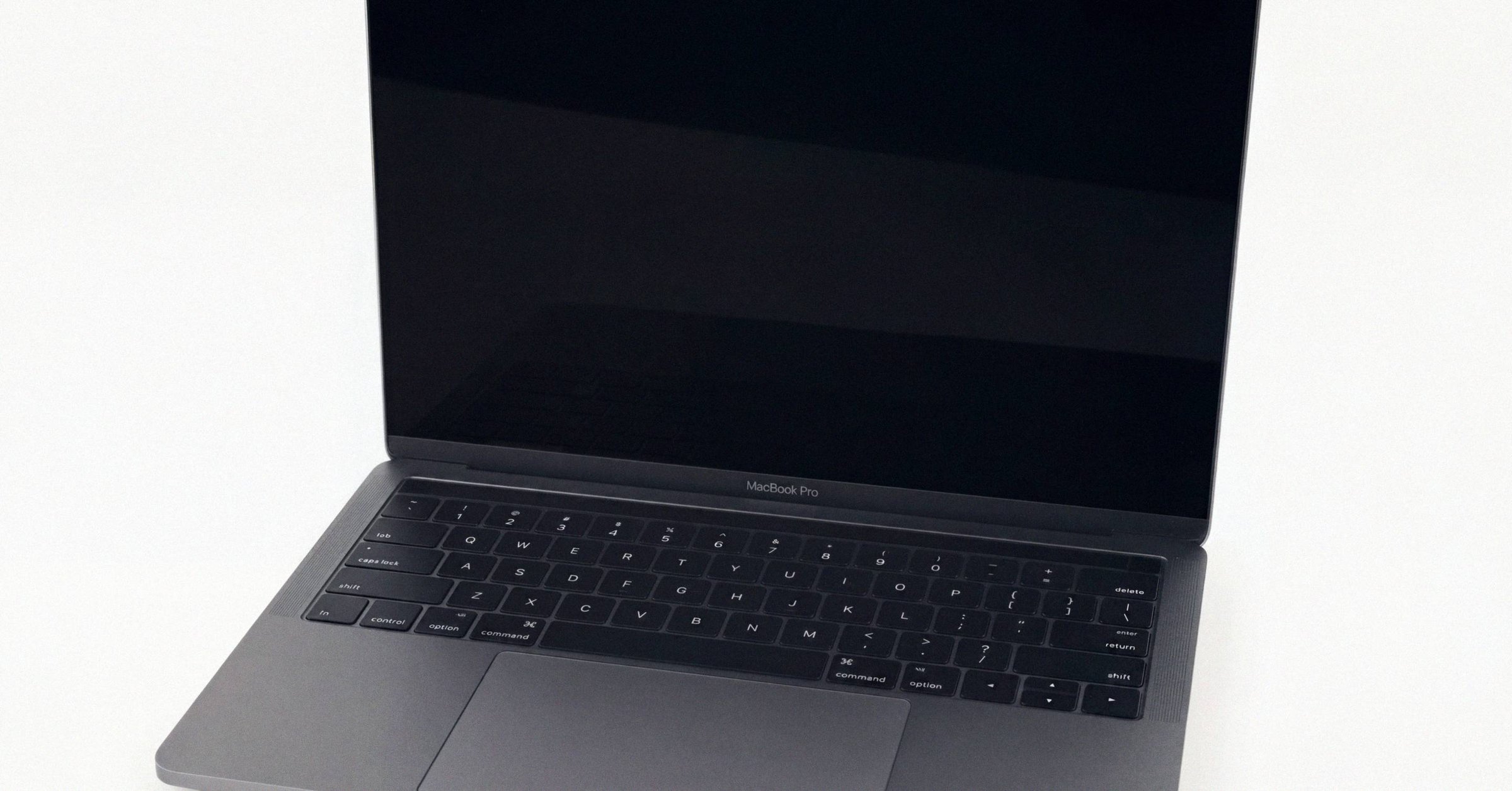
Apple Silicon Mac refurbishing: a 2026 operations guide#
Apple's transition from Intel x86 to in-house ARM64 silicon, announced in June 2020 and completed with the Apple Silicon Mac Pro in June 2023, broke most of the operational assumptions that defined Intel-era Mac refurbishment (Wikipedia: Mac transition to Apple silicon). Six years in, the refurb playbook has been rebuilt from the bottom up. Module-swap economics have replaced component-swap economics, cryptographic erase has replaced multi-pass overwrite, and Apple Business Manager state has become the gating intake step. This is a practitioner reference for the 2026 workflow end to end. Each section below links into the deeper post on that step, with Macfax's free serial validator on intake and the signed diagnostic Macfax exports for a listing sitting on the verification side of the workflow.
What changed at the hardware layer#
Four structural shifts in the M-series platform drive everything downstream.
Storage and RAM are soldered to the SoC package. There is no removable SSD module, no DIMM slots. NAND chip-off recovery yields only AES-256 ciphertext that cannot be decrypted off the originating device. The Secure Enclave is integrated into the M-series die. Per-device encryption keys are fused to that specific processor and never leave the SoC. Storage encryption is always-on at the hardware layer: every block written passes through AES-256-XTS keyed by Secure Enclave material generated at first setup (Apple Platform Security). DFU restore via Apple Configurator 2 replaces the entire firmware-and-OS install pipeline (Apple Support HT108900).
Two operational consequences follow. Board-level component-swap repair is largely impractical at refurb scale. Soldered NAND, fused-to-SoC encryption keys, and a single-package CPU/GPU/memory-controller/storage-controller/Secure-Enclave make module-swap economics the only viable path for most failures. Activation Lock and MDM lock state now sit in front of every B2B intake workflow. What used to be a firmware-password check on Intel hardware is now an Apple Business Manager binding state that determines whether a unit is resellable at all.
The six-stage bulk intake workflow#
A modern Apple Silicon intake runs through six functional stages, each with Apple-specific quirks.
- Physical receive and serialize.
- Lock-state and ownership triage.
- DFU restore (firmware revive plus OS reinstall plus cryptographic data wipe).
- Functional test.
- Cosmetic grading.
- Battery condition assessment.
The most important stage is the second. Lock-state triage determines whether the unit is processable at all and, in the wrong order, can sink hours of tech time into devices that will never resell.
Lock-state triage at the dock door#
Before any time is spent diagnosing or restoring a Mac, intake must determine the device's lock state. Apple Silicon (and T2-era Intel) Macs can present at intake in any of these states:
- Clean. No MDM, no Activation Lock, no firmware password. Ready to wipe and redeploy.
- Activation-Lock-bound to a personal Apple ID. The prior owner left Find My on. Resolvable only by the prior owner signing out, or by Apple removing the lock against proof-of-purchase documentation.
- MDM-enrolled via Automated Device Enrollment (ADE/DEP) in some other organization's Apple Business Manager or Apple School Manager instance. When the device is wiped and reactivates, it phones home to Apple and is forced to enroll in the original organization's MDM (SimpleMDM on ADE).
- Organization-linked Activation Lock. MDM-managed activation lock, releasable only by the original organization's MDM operator or via Apple Business Manager's Turn Off Activation Lock function, available to ABM users with Manage Device privilege since the 2024 WWDC update.
- EFI / firmware password set. Less common on Apple Silicon, where the firmware password concept changed, but persistent on T2 Intel Macs.
An MDM-enrolled Mac that has not been released from the prior owner's Apple Business Manager is functionally a brick for resale purposes. The only legitimate paths to resolution are:
- The prior owner releases the device through Apple Business Manager → Devices → Release from Organization (irreversible) (Apple Support: Release devices in Apple Business Manager), or
- Apple Business Support or AppleCare Enterprise removes the lock after the current legitimate owner presents proof of purchase including serial number and buyer name.
There is no legitimate intake workflow that bypasses these steps. A refurbisher receiving an enterprise pallet with MDM-locked units should treat that as a supply-chain failure on the seller's side and a contractual issue, not a technical problem to solve. The legitimate Activation Lock removal request process Apple operates is the buyer-of-record route when the original owner is unreachable but the paperwork chain is intact.
Gray-market bypass services (CheckM8, iRemove, iActivate, and similar) that advertise MDM and iCloud Activation Lock bypass for Apple Silicon are largely either fraud or temporary tethered bypasses that re-lock on reboot or OS update. The original checkm8 chip-level exploit applies to T2 but not to M-series SoCs. There is no known persistent bypass on M1 or later that survives a DFU restore.
DFU restore via Apple Configurator 2#
For an Apple Silicon Mac, the canonical factory-reset to clean state is a DFU restore via Apple Configurator 2 from a second host Mac. The mechanics are documented at support.apple.com/en-us/108900 and in the Apple Configurator 2 user guide. The walk-through of the parallel wipe rigs that scale DFU restore beyond one host one target covers the cabling, port-selection, and Acroname-versus-Cambrionix decisions in operational detail.
The cabling fails a surprising number of new shops. The target connects via a USB-C-to-USB-C cable that is USB 2.0 data-capable. A Thunderbolt cable does not establish a connection with the DFU bootloader. The DFU-capable port differs by model family: the leftmost USB-C nearest the hinge on M-series MacBooks, the rightmost rear port on Mac mini, the front USB-C on Mac Studio.
Configurator exposes two actions. Revive restores firmware and recoveryOS only, leaving the user data volume untouched. Restore restores firmware, recoveryOS, and erases the internal SSD, reinstalling a clean macOS. Restore is the standard wipe path for refurb intake. The wipe is effectively instantaneous on the storage side because it is cryptographic. Wall-clock per unit is 10 to 25 minutes for firmware and OS reinstall, depending on macOS version size and download speed. Pre-downloading the appropriate IPSW files and dragging them onto the DFU icon in Configurator, rather than letting it pull from Apple's servers each time, substantially speeds throughput.
Since macOS Sonoma, Apple integrated revive and restore directly into Finder on the host Mac. A Mac in DFU mode appears in the Finder sidebar with Revive and Restore buttons exposed. For most production refurb shops, Configurator 2 remains the standard because it surfaces ECID, supports automated workflows via Shortcuts, and integrates with Configurator's bulk operations.
DFU at scale: parallel restore rigs#
The single-cable, one-target-per-host model does not scale on its own. Three approaches parallelize the wipe step.
The first is Acroname USBHub3c with DFU Automator, released around 2024. It is a USB-C hub engineered to forward the Vendor-Defined Messages that put a Mac into DFU mode, something normal USB hubs cannot do. Combined with Apple Shortcuts and Configurator, one host Mac simultaneously DFU-restores up to 5 targets. Both batch and asynchronous workflows are supported.
The second is the Cambrionix ThunderSync5-C16 industrial-grade hub combined with Blancco Eraser for Apple Devices. The setup connects up to 16 Apple Macs simultaneously, in mixed laptop and desktop configurations, and runs a programmatic erase-unlock-reimage workflow. Vendor materials describe per-batch completion under 20 minutes, scaling effective wipe-stage throughput to roughly 48 Macs per hour per technician on the wipe step alone (Blancco + Cambrionix announcement).
The third is the lower-cost approach: multiple host Macs in parallel, each running Configurator. A rack of inexpensive M1/M2 Mac minis acting as DFU hosts, each cabled to one target, remains the most common setup in small shops. The deeper DFU restore at scale walk-through covers the IPSW-cache lever that determines whether either approach actually clears the wall-clock budget the wipe step nominally requires.
Functional test and cosmetic grading#
A standard refurb intake functional test for an Apple Silicon MacBook covers, at minimum, power-on and successful boot through DFU restore, all keyboard keys, trackpad multi-touch and force-touch, Touch ID enrollment, both speaker channels, the microphone array, the camera plus indicator-light correlation, every USB-C/Thunderbolt port under both power-delivery and data-transfer load, MagSafe charging and battery charge curve, Wi-Fi 6/6E enumeration, Bluetooth pairing, display uniformity, and battery cycle count and full-charge capacity against design. The practical floor for resale is 80% design capacity (Apple's own definition of "consumed" and Back Market's published threshold). Some operators reject below 85%.
Cosmetic grading has no industry-standard scale. The conventions that have congealed: Apple Certified Refurbished is effectively one tier (chassis and battery replaced on every unit). Back Market runs four grades (Premium, Excellent, Good, Fair) with a published battery floor of 80% on Excellent and below, 90% on Premium. Amazon Renewed runs four tiers seller-controlled, eBay Refurbished four tiers with eBay-imposed return rights. A B-grade Back Market unit is broadly equivalent to an A-grade unit from a smaller refurbisher. Labels are not portable. Adopt one scale, publish it, and stick to it.
Throughput numbers#
Authoritative public throughput data does not exist. Practitioner consensus from forum discussion and small-shop interviews:
- 12 to 25 units/tech/day through full intake, serialize, DFU restore, functional test, grade, photo, list, on standard MacBook Air/Pro inputs in a well-tooled shop.
- 30 to 60 units/tech/day with multi-port DFU automation (Acroname USBHub3c-class) and a stripped intake test, before deep cosmetic photography.
- Roughly 48 Macs/hour through the wipe stage alone with 16-port Cambrionix plus Blancco. This measures the wipe step, not full intake-to-listing throughput.
- Cosmetic detailing is the rate-limiting step on higher-grade output, sometimes adding 30 to 90 minutes per unit.
Treat these as ballpark figures grounded in practitioner reports, not benchmarked industry data.
Cryptographic erase and NIST 800-88 documentation#
The governing US standard for media sanitization is NIST SP 800-88, which defines three sanitization categories (Clear, Purge, Destroy). For SSDs and modern Mac storage, the relevant Purge technique is cryptographic erase: rather than overwriting every block, the device's encryption key is destroyed, rendering the ciphertext on flash permanently unrecoverable.
On Apple Silicon, this is the only operationally sensible path. Every block written to soldered NAND passes through AES-256-XTS encryption keyed by Secure Enclave material that never leaves the SoC. A properly executed Erase All Content and Settings or DFU restore destroys the Secure Enclave-held key material and satisfies NIST 800-88 Rev. 1 Purge by cryptographic erase. Multi-pass overwrites are not just unnecessary, they are inapplicable. The flash is encrypted at the hardware layer and the controller is not exposing user-addressable raw NAND in a way that permits meaningful overwrite.
Two practical wipe paths exist. Erase All Content and Settings is available in System Settings → General → Transfer or Reset on macOS Monterey 12.0.1 and later on Apple Silicon and T2 Macs. It triggers cryptographic erase of the user data volume, signs the device out of Apple ID services, and re-presents the Setup Assistant. It can also be triggered remotely via MDM (the EraseDevice command on Apple Silicon performs the cryptographic erase via EACS). DFU restore via Apple Configurator 2 is the more thorough path, wiping firmware, recoveryOS, and the data volume. Cryptographic-erase outcome is identical, plus firmware is refreshed. DFU is the standard for ITAD and refurb intake because it does not require the device to be in a known-logged-in state.
NIST published SP 800-88 Revision 2 in September 2025. Rev. 2 references IEEE 2883:2022 for sanitization specifics and shifts focus from in-the-moment technique selection to enterprise media-sanitization program governance, vendor-trust evidence, and accountability. The practical implication for ITAD operators and their enterprise customers is documentation: chain-of-custody from intake to disposition, method-selection rationale, validation, and consistent reporting. Cryptographic erase remains the preferred Purge method for encrypted devices. The Rev. 2 documentation refresh is a project audit-conscious enterprise customers will start asking ITAD vendors about through 2026. The full Certificate-of-Data-Destruction field list and the chain-of-custody package are covered in the NIST 800-88 cryptographic-erase documentation reference for Apple Silicon.
For chain-of-custody, the standard enterprise package includes a pickup manifest serialized to device, transport under sealed containers or GPS-tracked vehicles, a receipt manifest reconciled against pickup, a per-device intake record, a data destruction log (per serial: method, date/time, technician, NIST reference), a Certificate of Data Destruction issued to the customer, and a downstream disposition record.
Apple Business Manager release as the highest-leverage step#
The single most common failure mode in enterprise Mac decommissioning is not data destruction. It is failure to release devices from Apple Business Manager and from MDM before they ship to the ITAD vendor. An MDM-bound Mac that arrives at an ITAD without prior ABM release is, until that release happens, effectively non-resellable.
The correct fleet-decommissioning sequence:
- Identify devices to retire in MDM (Jamf, Kandji, Mosyle, Intune, Addigy).
- Issue the
EraseDeviceMDM command, which on Apple Silicon performs cryptographic erase via EACS. - In Apple Business Manager → Devices, search the serials (individually or by pasting up to 1,024 serials from a text file), select them, and execute Release from Organization. This is irreversible and severs the ADE/DEP binding (Apple Support guide).
- Optionally, if Activation Lock is enabled, execute Turn Off Activation Lock in ABM (available since the 2024 update for users with Manage Device privilege).
- Ship to ITAD with serialized manifest.
A device released from ABM no longer phones home to enroll, and the receiving refurbisher can complete a normal DFU restore and resale. A device not released will, on every clean install, attempt to enroll back to the original organization's MDM. Apple Business Manager does not retroactively allow management of released devices. The release is final, which is why enterprises sometimes hesitate to do it preemptively. The alternative, releasing only after the device has reached the ITAD, creates exactly the friction that destroys downstream value.
Practitioner reports consistently identify "did not release from ABM" as the single most common reason an enterprise fleet sale produces lower-than-quoted realized value. The ITAD discounts the bid to account for rework cost and the risk that some units will never be unlocked. The full step-by-step is in the enterprise Mac fleet decommissioning runbook that preserves resale value, built around exactly this release step.
macOS Tahoe Repair Assistant and the parts-harvest play#
macOS Tahoe, released September 15, 2025, introduced a built-in Repair Assistant utility allowing direct, on-device calibration and pairing of genuine new and used components without microsoldering EEPROM swaps and without an AASP or IRP backend call.
The mechanic: in the recovery environment, Repair Assistant retrieves factory data from Apple's servers over the internet and links the hardware serial numbers, allowing refurbishers and consumers to swap genuine parts (including used parts from other identical donor machines) and have them function fully. Apple blocks stolen parts from being calibrated by extending Activation Lock security to the individual serialized component level.
This is a structural change. Historically, used-genuine-part swaps required microsoldering EEPROM serial chips between old and new parts (a board-level technique most refurbishers cannot perform at scale) or membership in Apple's restrictive Independent Repair Provider program. macOS Tahoe collapses much of that workflow into an on-device flow. Calibratable components in Tahoe span Touch ID, Display, Top Case (including Touch Bar on relevant models), Logic Board, Lid Angle Sensor, and Antenna Board, varying by model family and year per Apple's published matrix.
For refurbishers, this enables a parts-harvest workflow: acquire cheap cosmetically broken or MDM-locked Apple Silicon donor units, harvest displays, top cases, Lid Angle Sensors, and other paired components, and use them to rebuild functional inventory with on-device calibration. Three caveats apply. The donor's components are themselves Activation-Lock-checked at calibration time. Stolen parts will not calibrate. The logic board still cannot be cross-decrypted with another's NAND, so data recovery from a dead board is unchanged by Repair Assistant. And not all components are calibratable on all models. The supported matrix is evolving. The parts-harvest economics for refurbishers under macOS Tahoe Repair Assistant covers the calibratable-component matrix model-by-model and the donor-side workflow.
Timing: the M1/M2 retirement wave#
The M1 MacBook Air launched November 2020. Enterprise procurement of M1 hardware peaked roughly Q2 2021 through 2022 as the first wave of corporate Apple Silicon refreshes hit, often replacing 2018 to 2019 Intel MacBook Pros. With three- to four-year refresh cycles being the dominant enterprise pattern, the cohort timing works out:
- 2025: M1 (2020 to 2021) cohort at 4+ years. Peak ITAD volume year for first-wave Apple Silicon.
- 2026: M1 (2021 to 2022) plus early M2 (2022) cohort retirement.
- 2026 to 2027: M2 cohort enters main retirement window; M1 inventory continues to flow at decreasing per-unit price.
This is consistent with public statements from Iron Mountain and Sims about EUC volume growth, with Phobio's continued business expansion, and with the visible spike in M1-specific listings across Back Market, Tradeloop, and Alibaba B2B feeds in mid-2025. Aggregated B2B vendor listings place 2025 to 2026 wholesale Grade-A pricing for the M1 MacBook Air (base 8GB/256GB) in roughly the $439 to $529 range in 5+ unit lots delivered duty-paid, and Grade-A 13-inch M1 MacBook Pros in roughly $689 to $799. Treat these as channel-dependent indicators rather than authoritative benchmarks. The full channel map (Iron Mountain, Sims, Tradeloop, BrokerBin, B-Stock, Phobio, and the small-refurbisher pool) is in the map of the Mac wholesale tier structure.
The practical implication for new entrants: Apple Silicon supply is not scarce now and will not be scarce in 2026. The arbitrage opportunity has shifted from "find Apple Silicon at all" (the 2022 to 2023 problem) to "process Apple Silicon inventory cleanly and at scale, including the lock-state intake step."
What this means for the 2026 refurbisher#
The 2026 operational picture rewards a small set of moves and punishes their absence.
Position for the mid-premium tier. Source from ITAD broker channels and Tradeloop, sell either to consumers via Back Market or eBay Refurbished or a direct storefront, or to enterprise customers via direct B2B relationships. Trying to operate as a low-tier as-is reseller is squeezed by parts-harvest economics on one side and Back Market's quality bar on the other.
Stop acquiring Intel inventory. macOS Tahoe (macOS 15, September 2025) is the final major macOS version with Intel support. macOS 27 (2026) is Apple Silicon exclusive. Intel hardware is depreciating accelerating, and any inventory held through the macOS 27 transition will be increasingly hard to sell to customers who track macOS support life. The full software-support-EOL curve and the case to clear standing Intel inventory before macOS 27 lays out the dates through 2030.
Build a multi-port DFU restore rig. Acroname USBHub3c is the entry point, Cambrionix ThunderSync5-C16 plus Blancco scales further. Combined with Apple Configurator 2 and pre-cached IPSWs, this transforms wipe-step throughput.
Refuse unreleased ABM devices at the dock door, not after intake. Document the policy in writing for upstream suppliers. The most useful pre-shipment conversation a refurbisher has with an enterprise seller is about ABM release order.
Tool up on coconutBattery Plus, DriveDx, and your own functional-test scripts. No third-party tool replaces Apple's AST 2 (available only to AASPs) for component pairing, but the practitioner stack covers most of what refurbishers need. The compliance side of that stack, which ITAD certifications matter for Mac fleets in 2026, is the procurement-facing companion piece.
Set up a parts-harvest workflow. With macOS Tahoe Repair Assistant calibrating used-genuine components on-device, broken-cosmetic donor units have new economic life. A cosmetically broken or MDM-locked Apple Silicon unit can yield calibratable displays, top cases, and Lid Angle Sensors.
Accept that board-level repair is not your path. Route board failures to parts harvest or scrap. Specialty shops (Rossmann Group in Austin and a handful of peer operators) will continue to handle one-off data recovery and high-value board work, but at refurb scale on Apple Silicon, the economics do not support it.
The shops that internalize all of this are the ones still profitable in 2026. The shops still running 2019 workflows on 2024 inventory are the ones discounting their ITAD bids to make up for unreleased ABM units, rejecting jobs that turn out to be cryptographic-erase problems they thought were overwrite problems, and watching margin disappear to a hub that costs $400 and a workflow that took an afternoon to set up.
Related posts
DFU restore at scale: parallel wipe rigs for Apple Silicon Mac refurb
DFU restore at scale on Apple Silicon: how small refurbishers run 5 to 16 Macs through a single host. Cabling, port selection, the DFU entry sequence, and where parallel rigs from Acroname and Cambrionix actually pay off.
The 2026 MacBook RAM exception: high-memory Macs are holding value
Is the MacBook Pro RAM upgrade worth it in 2026? Yes, more than usual. The DRAM shortage has inverted the depreciation curve on 64GB and 128GB units, which now recover at 60 to 100 percent versus the historical 30 to 50. SSD upgrades have not.
How to check AppleCare status on a Mac
Three surfaces show AppleCare status on a Mac: checkcoverage.apple.com (anonymous, by serial), mysupport.apple.com (Apple Account with a downloadable Proof of Coverage PDF), and Settings → General → AppleCare & Warranty on the device itself.
Written by
Priya PatelPriya Patel covers the used-Mac market for Macfax. Before joining she spent six years as a power-seller on eBay, moving roughly 1,200 Macs through the platform and building a private dataset of sale-price-vs-listing-price across every Mac SKU back to 2017. She writes about pricing, buyer and seller behavior across the major marketplaces, and where the secondary market actually clears versus where it's listed.
More posts by Priya →