Blank Board Serializer: what happens to a Mac serial after a logic-board swap
Blank Board Serializer is the Apple tool that writes a Mac's original serial onto a replacement logic board. Policy says the serial doesn't change. In practice, a small fraction of repairs leave it blank or wrong, and once a board carries any serial, it generally can't be re-flashed.

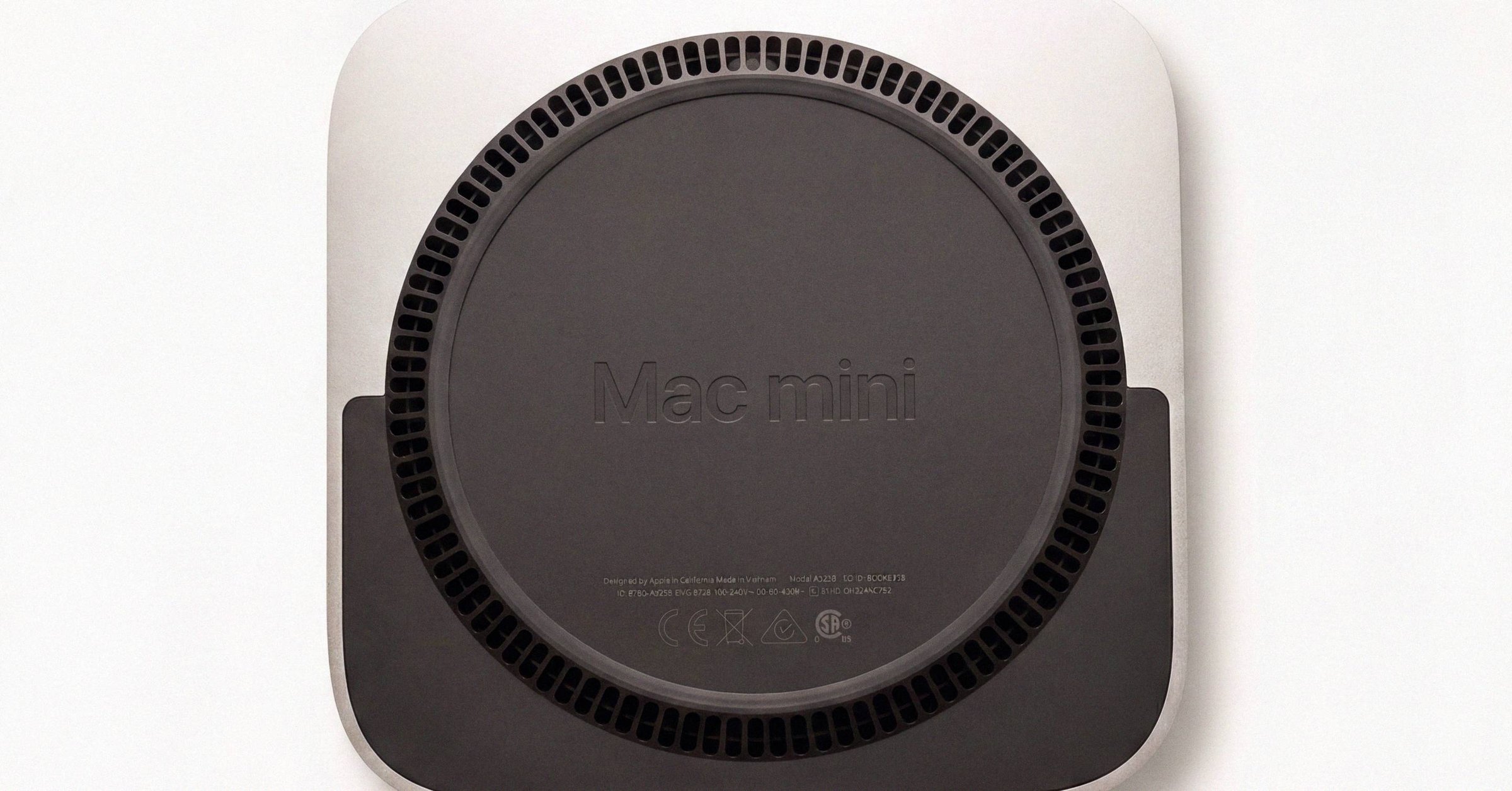
Blank Board Serializer: what happens to a Mac serial after a logic-board swap#
When Apple or an Apple Authorized Service Provider replaces a Mac's logic board, the new board ships blank. The Blank Board Serializer (now part of Apple Service Toolkit 2, or AST 2, accessed through GSX) is the internal tool that writes the device's original serial number onto the replacement board. The system serial reported by macOS, by Apple's warranty database, and by Check Coverage all stay unchanged from the customer's perspective.
That's the policy. In practice, a small fraction of repairs leave the serial blank, mis-flashed, or set to a different number. That's a failure mode that turns a routine administrative step into a hardware-level problem, because of a quirk of how the tool works.
The mechanics of re-serialization#
A logic-board replacement is the most invasive thing Apple performs on a Mac short of swapping the whole device. The board carries the SoC, the Secure Enclave, the storage controller on Apple silicon Macs, and (in firmware) the device's serial number. Apple's warranty systems treat the serial number as the only authoritative identifier for an individual unit (Apple Support 102858); everything else (Model Identifier, A-number, part number, EMC) identifies a class of hardware, not a specific machine. The Apple serial number check guide walks every identifier and where each one fits in the hierarchy. The serial is what links the chassis you walked in with to your AppleCare entitlement, your repair history, and your Find My association.
When a technician orders a replacement board through GSX, the part arrives without a serial written to it. AST 2 (internal Apple software running on the technician's machine, talking to GSX over an authenticated session) pushes the original device serial onto the new board's firmware. Internal diagnostic tooling that historically went by the name "MRI" sits on the same stack. None of this is accessible to end users or third-party shops outside Apple's authorized network. What GSX is and why consumer "GSX lookup" sites are not legitimate covers the access model in detail.
Re-serialization happens once, at the time of installation. The next time the Mac boots, About This Mac and system_profiler SPHardwareDataType report the original serial, Check Coverage continues to recognize the device, and warranty entitlements carry over without any change visible to the customer.
When it goes wrong#
The failure modes show up in two places: the Apple Community forums and iFixit's repair threads. The symptom is almost always the same. After a repair, About This Mac shows no serial (the field is empty or shows zeroes), or shows a serial that doesn't match the one etched on the chassis underside.
A few documented variants:
- Board left blank. Re-serialization step skipped or interrupted. About This Mac shows no serial;
system_profiler SPHardwareDataTypereturns an empty or placeholder field. This is the most common variant and the most easily fixed. - Mis-flashed serial. The board was written with the wrong number, sometimes a test serial, sometimes a serial belonging to another unit in the technician's queue. About This Mac shows a serial, but it doesn't match the chassis.
- Serial mismatch with chassis. The board carries one serial, the etched chassis carries another. This is the variant that surfaces months later in the secondary market when a buyer cross-checks.
Apple's stated position is that the customer-facing serial should never change as a result of a board swap. The discrepancies above represent execution failures of that policy, not changes to it.
Why it can't be quietly fixed later#
The wrinkle that makes a missing serial a bigger deal than it sounds: once a board has been written with any serial, the standard re-serialization tool generally cannot re-flash it. The blank-board pathway exists precisely because the firmware accepts a serial write only when no serial is present.
The practical consequences:
- A board that was left blank after the original repair can usually be re-serialized at the same Apple Store or AASP. The tool sees an empty firmware field and accepts the write.
- A board that was mis-flashed with the wrong serial is much harder. The standard tool sees a serial already present and refuses. Escalation paths exist within Apple's internal engineering channels, but they are slow, manual, and not guaranteed.
- Third-party shops cannot do this at all. Re-serialization is a GSX-gated operation, and any site or operator outside Apple's authorized network claiming to write Mac serials onto logic boards is either using stale or compromised credentials or simply lying.
This is also why "I'll just buy a logic board on eBay and swap it in" doesn't deliver a functional device the way it does on older hardware. The board may post and boot, but the serial mismatch with the chassis breaks warranty lookups, can affect Activation Lock state on Apple silicon (see what Activation Lock actually is on a MacBook), and on later macOS versions can trip checks that prevent the Mac from completing setup cleanly.
The MLB serial is not the system serial#
A separate point that often gets confused with the chassis serial: a serial number is also printed on the main logic board itself, encoded as a 13- or 17-character string with its own factory and date encoding. This MLB serial is distinct from the chassis (system) serial. It identifies the board as a physical part, not the device as a whole.
system_profiler SPHardwareDataType reports the chassis serial, which is what Apple's warranty database uses. The MLB serial appears in NVRAM and IORegistry under different keys and is what Apple's parts-tracking systems use internally. When the Blank Board Serializer writes "the serial" onto a replacement board, it's writing the chassis serial, not the MLB serial. Those are independent identifiers that happen to live on the same piece of silicon.
This matters when reading repair forums: posts referring to "the serial on the logic board" sometimes mean the MLB serial (the physical-part identifier), and sometimes mean the chassis serial as written into the board's firmware. They are not the same thing and they can disagree without anything being wrong.
How buyers can detect a botched swap#
The cleanest test on a Mac you're considering buying:
- Run
system_profiler SPHardwareDataTypein Terminal and note the serial it returns. (The four software paths to a Mac's serial number, including About This Mac and System Settings, work the same way.) - Compare to the serial etched on the underside of the chassis.
- They should match exactly.
If About This Mac shows no serial, or the returned serial doesn't match the etched one, the board has been replaced at some point and re-serialization either didn't happen or didn't land cleanly. This isn't necessarily a deal-breaker. Apple-issued board swaps under warranty are legitimate and common. But it's a signal that the device's history is more complicated than the chassis suggests, and the seller should be able to account for it.
A second cross-check: enter the chassis-etched serial into checkcoverage.apple.com or the Macfax serial lookup; both resolve a serial to the model Apple's records associate with it, and running both serials (etched and reported) takes a minute. The returned model should match the chassis (color, size, port layout). For the full result interpretation, see reading Apple's free coverage lookup. If Check Coverage doesn't recognize the chassis serial at all but does recognize the serial reported by system_profiler, the board was swapped at some point and the etched chassis no longer matches what Apple's database thinks the device is. If Check Coverage instead returns "this serial isn't valid", the troubleshooting checklist walks the causes in frequency order.
What this means for your Mac#
If your Mac has been through a board swap and About This Mac now shows no serial, or one that doesn't match the etched chassis, the action is to bring it back to the Apple Store or AASP that performed the repair, ideally with the original work order. Blank boards can be re-written. Mis-flashed boards are a harder conversation but worth opening with the same provider rather than going home and worrying about it. The longer the discrepancy stays in Apple's records, the more friction you'll see at later support interactions. Every warranty lookup, every Find My check, every AppleCare claim cross-references the serial as authoritative.
If you're selling a Mac that's been through this kind of repair, list the work order alongside the chassis. Buyers who run the cross-check will find the discrepancy; sellers who flag it up front rather than discovering it during inspection close deals faster.
If you're buying, the two-minute check (system_profiler against the etched chassis, both against Check Coverage) catches almost every variant of botched re-serialization before money changes hands. The serial is a small number etched into aluminum, but it carries the whole record of what Apple knows about the device.
Have a serial in front of you? The Macfax lookup reads the model, year and configuration, and shows what Apple's own tools leave out.
Related posts
Pre-2010 Mac serial number decoder: reading the 11-character format
The 11-character pre-2010 Mac serial decoder reads factory (2 chars), year digit (1 char), production week (2 chars), unique ID (3 chars), configuration code (3 chars). The single-digit year is the gotcha; a `3` means 2003, not 2013.
Mac manufacture date by serial number: decoding the year-and-half-year letter
To get the Mac manufacture date from a 12-character serial number, decode the fourth character. It is one letter encoding both year and half-year. X is 2018 H2, F is 2011 H1 or 2021 H1, and the decade ambiguity is resolved by the product itself.
Apple serial number decoder: a worked Mac serial from start to finish
A character-by-character walkthrough of the 12-character Mac serial C02XG...JG5J (factory, year, half-year, week, configuration) using the same reverse-engineered tables every legacy Apple serial number decoder relies on.
Written by
Marcus WilliamsMarcus Williams covers Mac hardware and repair for Macfax. He spent six years on the bench at an Apple Authorized Service Provider in the Pacific Northwest before going independent, most of that time on logic-board repair, display assembly swaps, and the failure patterns Apple's diagnostics don't surface. He writes about what's inside a Mac, what breaks first, and what a serial number can and can't tell you about a unit's history.
More posts by Marcus →