Apple Silicon for local LLM inference: the complete 2026 guide
How to run an LLM locally on a Mac in 2026. Apple Silicon is the only consumer platform that fits 70B dense and 100B to 700B MoE models on one machine, and the only one that loses 3x to 10x on prompt processing. Capacity-first buying framework, with the numbers.

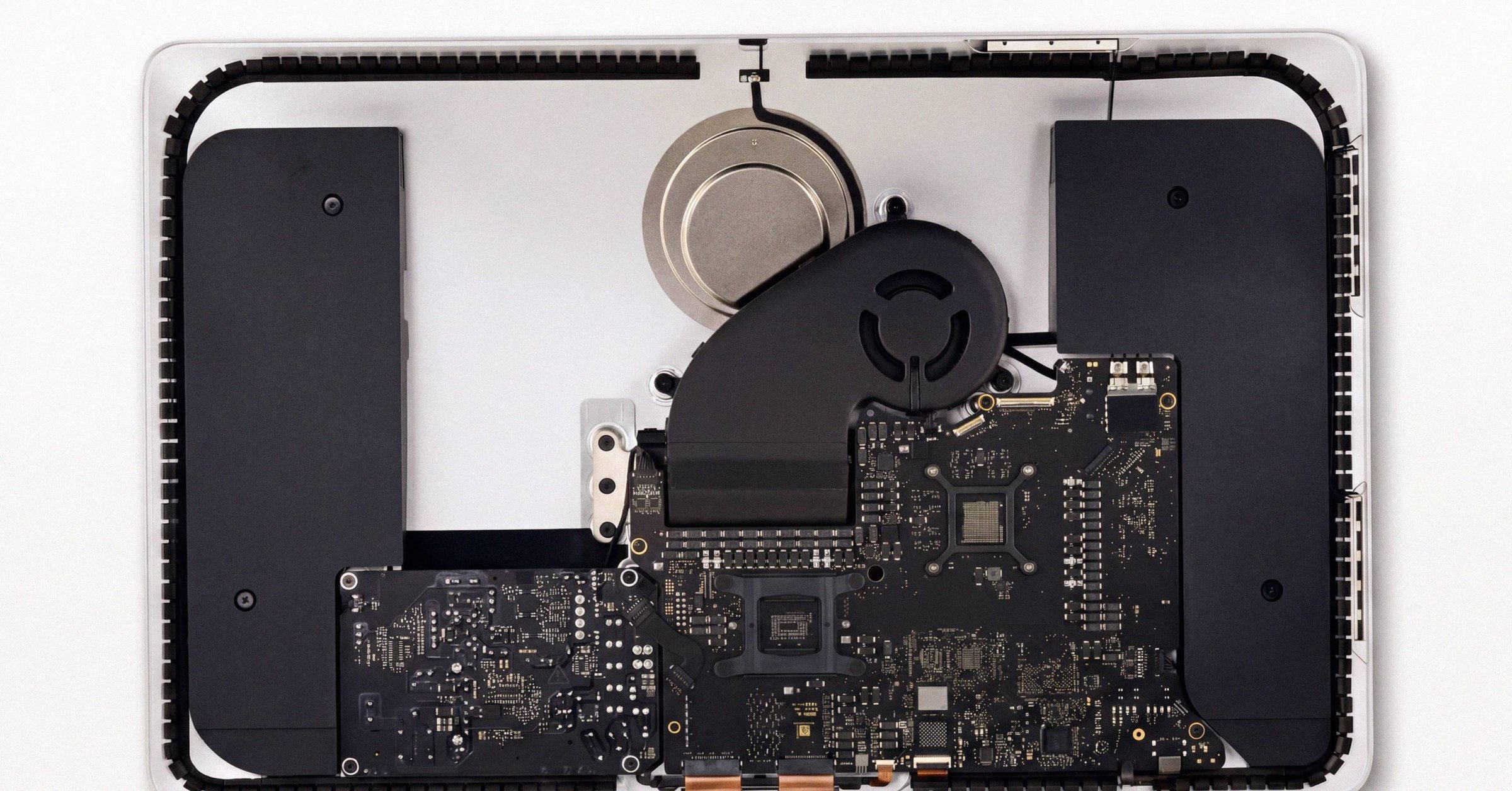
A Mac Studio M3 Ultra runs DeepSeek R1 671B at 17 to 22 tok/s in a 200 W power envelope. No consumer NVIDIA configuration runs that model at all. The same Mac takes over 14 minutes to first token on an 8,192-token prompt to the same model. Apple Silicon for local LLMs is sharply bifurcated, and the marketing framing of "Mac Studio replaces a $250,000 GPU rig" is true only on a narrow strip of workloads. This is the full 2026 framework: the architecture, the software stack, the quantization landscape, the comparative economics, and the decision criteria. Before buying any Mac for LLM work, every check that runs in a Macfax Basic report covers identity, SSD wear, battery health, and tamper signals against the device itself; this post is the inference-side companion.
What the Unified Memory Architecture actually buys you#
On a discrete-GPU PC, model weights live in GPU VRAM. Anything that spills crosses the PCIe bus, typically 64 GB/s on PCIe 5.0 x16. That is an order of magnitude less than even M2 Pro memory bandwidth. When a 70B model exceeds 24 GB of VRAM on an RTX 4090, llama.cpp can offload layers to system RAM via n_gpu_layers, but per-token throughput collapses because every offloaded layer crosses PCIe on every token. Effective throughput on a 70B Q4 model with partial offload on a 4090 falls to roughly 8 to 15 tok/s.
Apple's SoCs fuse CPU, GPU, and Neural Engine onto a single die sharing a coherent pool of LPDDR5/LPDDR5X memory. The GPU accesses system memory at native bus speeds. There is no "device memory" versus "host memory" distinction. The n_gpu_layers flag is effectively cosmetic on Macs (set it to 99 or -1). On a 70B Q4 model, an M4 Max 128 GB delivers ~12 to 18 tok/s with the entire model resident at full bandwidth. An M3 Ultra delivers 14 to 22 tok/s.
Capacity per high-bandwidth dollar is the structural advantage. 256 GB at 819 GB/s on an M3 Ultra costs roughly $5,600 to $7,599. Matching that capacity on NVIDIA requires either an RTX PRO 6000 Blackwell workstation (around $22,000 for 96 GB) or a multi-H100 server (over $60,000 for 160 GB). On a strict capacity-at-high-bandwidth basis, the Mac is a bargain. The full architectural argument for unified memory against discrete VRAM with PCIe offload is its own post; the short version is that the GPU and CPU share one pool and n_gpu_layers is cosmetic on Macs.
Decode is bandwidth-bound. That is why Macs win at batch size 1.#
Autoregressive token generation at batch size 1 is overwhelmingly memory-bandwidth-bound. To emit one token, the inference engine must read every active parameter of the model from memory into the arithmetic units, perform a small amount of compute per parameter, and write back. The compute units spend the vast majority of cycles waiting on memory.
The theoretical ceiling for decode throughput is approximately:
tokens/sec ≈ effective memory bandwidth (GB/s) / active model size in memory (GB)
For a 70B model quantized to 4 bits (about 42 GB on disk and in memory), an M3 Ultra at 819 GB/s of memory bandwidth has a theoretical ceiling near 19.3 tok/s. An M4 Max at 546 GB/s sits near 13.0 tok/s. Real-world inference captures 60 to 80% of this ceiling once attention computation, KV cache reads, and kernel overhead are accounted for. Public measurements on DeepSeek R1 671B at 4 bit on M3 Ultra report 17 to 20 tok/s, roughly 80% of the napkin maximum of 819 / 37 ≈ 22 tok/s, which is excellent bandwidth utilization.
A consequence of this physics is non-obvious: on Apple Silicon, GPU core count matters far less for decode than memory bandwidth does. An M4 Pro with 16 GPU cores has 60% more compute than a base M4, but the 2.3x bandwidth gap (273 vs 120 GB/s) is what actually drives the linear decode speedup. For batch-size-1 LLM workloads, paying for more GPU cores at the same bandwidth tier yields strongly diminishing returns. The detailed derivation is in the memory-bandwidth decode formula.
Prefill is the opposite problem, and Apple loses badly#
The prefill phase ingests the user's prompt, computes attention across all input positions in parallel, and populates the initial Key-Value cache. Unlike decode, prefill is highly parallelizable and almost entirely compute-bound. It scales with batch_size × sequence_length × hidden_dim.
In this compute-bound regime, raw FLOPS dictate performance. Approximate FP16 compute by platform:
| Chip | FP16 TFLOPS (GPU) |
|---|---|
| M3 Max (40-core) | ~14 |
| M4 Max (40-core) | ~17 |
| M3 Ultra (80-core) | ~26 to 28 |
| RTX 4090 | ~165 |
| RTX 5090 | ~210 |
| NVIDIA DGX Spark | ~100 |
| H100 SXM | ~990 (BF16) |
Apple's M-series GPU has Ultra-class memory bandwidth within 2x of an RTX 4090, but 5 to 10x less compute. This asymmetry is the load-bearing architectural fact of the entire buying decision.
The empirical consequence is visible on long prompts. On an 8,192-token prompt to DeepSeek V3 4 bit, an M3 Ultra 512 GB has been measured at over 14 minutes to first token before decode begins at a respectable ~6 tok/s. The same prompt on an H100 would prefill in roughly 20 to 30 seconds. The dense Command-A 111B Q8 on the same Mac prefilled at 91 tok/s. That is an order of magnitude faster than the 671B MoE on identical hardware, because dense models do less compute per parameter during prefill than a MoE that must route through all 671B parameters during the attention pass.
Apple Silicon is a strong decode machine bolted to a mediocre prefill machine. Whether that tradeoff fits your workload depends entirely on the distribution of prompt lengths in actual use. The full prefill-side breakdown, including what to do about it, lives in why prefill is slow on Apple Silicon.
The KV cache: the second memory wall#
While model weights remain static during inference, the KV cache grows linearly with context length. Stored per layer, per attention head, for both keys and values across every past token, it becomes a substantial dynamic memory consumer that competes with weight reads for bandwidth at long contexts.
For Grouped-Query Attention models (now standard on Llama 3, Qwen 2.5/3, and most modern releases), the footprint is:
KV cache bytes = 2 × N_layers × N_kv_heads × d_head × seq_len × batch × bytes_per_element
The number of KV heads is smaller than the total attention heads in GQA, making it more memory-efficient than legacy Multi-Head Attention. The footprint is still substantial. On a 70B-class model at 32K context in FP16, the KV cache alone can exceed 12 GB. Combined with a 54 GB Q5-quantized model, the working set hits 66 GB. That is over the physical limit of a 64 GB Mac Studio, macOS will start swapping to SSD, and throughput drops from ~10 tok/s to ~0.28 tok/s. The system becomes effectively unusable. The post on the KV cache trap at long context traces the trap end to end.
Two mitigations matter. First, KV cache quantization. Both llama.cpp (with --cache-type-k q8_0 and Metal Flash Attention enabled) and MLX support 8-bit quantization of the KV cache. This halves the cache footprint with negligible quality degradation. On a 70B model with 32K context, an 8-bit KV cache compresses from 12 GB to roughly 6 GB. That is often the difference between fitting in 64 GB and needing 128 GB. The flags and Metal Flash Attention setup are walked through in how to fit 32K context on half the RAM.
Second, memory budgeting. Targeting 60 to 70% of total memory for model weights at maximum context is a defensible production-safety margin. The underlying constraint is that exhausting unified memory triggers macOS swap, which is catastrophic for inference latency. A useful corollary: when sizing memory for a model, add at least 20% headroom over the raw weight size to accommodate context growth.
Memory tier defines model tier#
A non-obvious procurement trap: the older M3 Max at 400 GB/s outperforms the newer M4 Pro at 273 GB/s by about 46% for decode-bound LLM tasks, despite being a chip generation behind. For LLM workloads, bandwidth tier supersedes generation tier.
| SoC | Max unified memory | Memory bandwidth |
|---|---|---|
| M4 Pro | 64 GB | 273 GB/s |
| M2 Max | 96 GB | 400 GB/s |
| M3 Max (40-core) | 128 GB | 400 GB/s |
| M4 Max (40-core) | 128 GB | 546 GB/s |
| M2 Ultra (76-core) | 192 GB | 800 GB/s |
| M3 Ultra (80-core) | 256 GB | 819 GB/s |
The 512 GB M3 Ultra configuration was removed from Apple's store in March 2026 amid global DRAM shortages. The 256 GB upgrade was simultaneously raised from $1,600 to $2,000. More on the 2026 DRAM shortage and what it did to Mac Studio LLM pricing below.
Where each tier lands by model size, assuming realistic bits-per-weight overhead (the real bits-per-weight in GGUF is closer to 5.0 to 5.3 for Q4_K, 6.6 for Q6_K, and 8.5 for Q8_0 once metadata and tensor mix are accounted for):
| Model tier | Approximate footprint | Apple Silicon fit |
|---|---|---|
| 7 to 9B Q4 | 5 to 6 GB | Any Mac with 16+ GB |
| 27B Q4 | ~17 GB | Easy on 32 to 48 GB |
| 70B Q4 | ~42 to 45 GB | Practical on 64+ GB, comfortable on 96+ GB |
| 70B Q8 | ~74 to 75 GB | Borderline on 96 GB, comfortable on 128+ GB |
| 120B Q4 | ~76 to 77 GB | 128 GB+ recommended |
| Mixtral 8x22B / Qwen3-235B MoE Q4 | 80 to 140 GB | M3 Ultra territory |
| DeepSeek V3/R1 671B (Unsloth dynamic Q2/Q4) | 192 to 400 GB | M3 Ultra 256 GB |
| Kimi K2 | 240 to 380 GB | M3 Ultra 512 GB only |
The more granular per-model walkthrough is in the hardware fit guide for each LLM model tier.
The software stack: MLX, llama.cpp, and the wrappers above them#
The Apple Silicon software ecosystem in 2026 is shaped by a productive but unresolved tension between two primary engines, llama.cpp and Apple's MLX, with a third tier of higher-level wrappers (Ollama, LM Studio) and emerging production-serving extensions (vLLM-mlx).
llama.cpp is the universal reference implementation. It supports CUDA, ROCm, Vulkan, and Apple's Metal backend, and is the de facto standard for the GGUF model format. New architectures typically land on Hugging Face as GGUF within hours of release. Metal Flash Attention is mature, a prerequisite for KV cache quantization and a meaningful win on long-context workloads.
MLX, released by Apple's ML research team in December 2023, is a Python/Swift array framework designed around unified memory. It uses lazy evaluation, zero-copy tensor handling, and Metal kernels tuned to Apple Silicon. The mlx-lm package is the LLM serving layer. MLX-specific advantages: native LoRA/QLoRA fine-tuning (which llama.cpp lacks), mixed-precision quantization, and exclusive support for the M5 generation's Neural Accelerators.
Two MLX caveats matter for benchmarking. The MLX GGUF reader directly supports only Q4_0, Q4_1, and Q8_0; other quantizations are silently cast to float16. Second, MLX's prompt-prefix caching is broken for several hybrid architectures, with documented examples where pure-attention MiniMax achieves cold-to-warm prefill speedups from 29.3s to 2.8s but GPT-OSS 120B and Qwen 3.5 see no warm-cache improvement (mlx-lm issue #763). Both are covered in the MLX gotchas writeup. The full engine-by-engine breakdown, with the workload-shaped default, lives in the MLX vs llama.cpp 2026 pick.
vLLM-mlx brings continuous batching and PagedAttention to Apple Silicon. Published comparisons report 21 to 87% higher throughput than llama.cpp on M4 Max for 4-bit text models in the 0.6B to 30B range, and 3.7x scaling at 16 concurrent requests. The deeper writeup on continuous batching and PagedAttention on Macs covers when the migration is worth it.
Ollama and LM Studio provide turnkey desktop and small-team LAN deployment. Ollama 0.19 (March 2026, preview) added an MLX runtime alongside its llama.cpp backend, limited initially to a small set of architectures. Ollama's Go wrapper has been measured running up to 37% slower than the native llama.cpp binary on Apple Silicon, which is the kind of overhead the bandwidth-bound decode path cannot absorb.
The defensible default for a 2026 buyer:
- Use MLX for popular models (Llama, Qwen, Gemma, Mistral, Phi, DeepSeek distills) under ~30B at 4 bit, where it consistently delivers 20 to 87% decode advantage over llama.cpp.
- Use llama.cpp for large dense models (70B+) at Q4_K_M or higher quality, for new architectures not yet MLX-ported, for ultra-large MoEs needing dynamic GGUF quants (DeepSeek V3, Kimi K2), and for workloads with long prompts where Metal Flash Attention is decisive.
- Use vLLM-mlx for multimodal serving, structured-output agent loops, or any workload needing continuous batching at modest concurrency.
- Use Ollama or LM Studio for individual developer ergonomics, accepting modest performance overhead.
Re-test every six months. Both engines evolve fast enough that absolute rankings shift.
Quantization is where most sizing mistakes happen#
Quantization compresses model weights from their training-time FP16/BF16 representation into lower bit-widths to fit physical memory budgets. The methodology choices have non-linear effects on quality.
Measured on LLaMA-2-7B against wikitext, the increase in perplexity vs FP16 across quantization levels (from llama.cpp/tools/perplexity/README.md):
| Quant | Size (7B) | +ppl vs FP16 | Practical interpretation |
|---|---|---|---|
| Q2_K | 2.67 GB | +0.87 (~17%) | Severe loss; only when no alternative fits |
| Q3_K_M | 3.06 GB | +0.24 (~5%) | High loss; emergency fallback |
| Q4_K_M | 3.80 GB | +0.054 (~1.0%) | Production floor; recommended default |
| Q5_K_M | 4.45 GB | +0.014 (~0.24%) | "I have memory to spare" |
| Q6_K | 5.15 GB | +0.004 (~0.07%) | Effectively lossless |
| Q8_0 | 6.70 GB | +0.0004 (~0.007%) | Indistinguishable from FP16 |
Q4_K_M is the production sweet spot for memory-constrained large-model deployment. Q5/Q6 are the "extra fidelity" tier when capacity allows. Q8 is functionally equivalent to FP16 for inference and offers no quality argument for storing in higher precision. Below Q3_K, loss is severe. The full perplexity curve plus where to land per memory budget is in quantization on Apple Silicon.
A common mistake is treating "4-bit" as literally 4 bits per parameter. Once scale and minimum metadata, super-block organization, and tensor-mix rules are accounted for, real GGUF quantization sizes are roughly 5.0 to 5.3 bpw for Q4_K class, 6.6 bpw for Q6_K, and 8.5 bpw for Q8_0. A 70B model at "4-bit" is closer to 42 to 45 GB than to the naive 35 GB calculation suggests.
A 4-bit MLX model and a 4-bit GGUF model are also not the same artifact. MLX 4-bit applies uniform affine group quantization across all linear layers. GGUF Q4_K_M uses Q6_K for half of the attention.wv and feed_forward.w2 tensors (the ones most sensitive to quantization error in transformers) and Q4_K for the rest. GGUF Q4_K_M with imatrix uses an importance matrix from a calibration dataset to bias quantization error away from high-activation channels, typically reducing perplexity by 10 to 30% vs naive quantization at the same bit width. Empirical comparisons consistently find that GGUF Q4_K_M maintains better text quality than MLX 4-bit at the same nominal bit width, especially on 70B+ dense models. The structural comparison is in GGUF K-quants vs MLX uniform quantization; the adaptive heterogeneous quantization post documents the 41-point HumanEval gap that comes from treating attention and MLP layers differently.
Performance per dollar: the crossover#
For Llama 3.1 8B Q4 (fits in 24 GB VRAM), tok/s per $1,000 of system cost:
| System | tok/s | $/system | tok/s per $1K |
|---|---|---|---|
| RTX 4090 PC (used) | ~120 | $2,800 | 42.9 |
| Mac Studio M3 Ultra 96 GB | ~80 | $3,999 | 20.0 |
| DGX Spark | ~70 | $4,699 | 14.9 |
| Mac Studio M4 Max 128 GB | ~50 | $3,700 | 13.5 |
| H100 (purchased) | ~200+ | $30,000 | 6.7 |
For Llama 3.3 70B Q4 (about 42 GB, requires offload on 24 GB VRAM cards):
| System | tok/s | $/system | tok/s per $1K |
|---|---|---|---|
| Mac Studio M3 Ultra 96 GB | ~22 (MLX) | $3,999 | 5.5 |
| Mac Studio M4 Max 128 GB | ~15 | $3,700 | 4.1 |
| RTX PRO 6000 Blackwell | ~70+ | $22,000 | 3.2 |
| RTX 4090 (with offload) | ~10 | $3,500 | 2.9 |
The crossover is dramatic. For small models that fit in 24 GB, an RTX 4090 dominates. For 70B+, Mac Studio offers the best perf/$ in the consumer/prosumer tier. The 96 GB M3 Ultra is the best perf/$ point in the entire table at that model size, and there is no consumer NVIDIA alternative at 200B+ MoE scale. The four-way Mac Studio vs RTX 4090 vs DGX Spark vs H100 comparison walks the per-dollar tables in detail.
Power, thermals, and concurrency#
A Mac Studio M3 Ultra draws ~10 to 20 W at idle and 100 to 200 W under inference load. A DGX Spark draws 45 W idle and ~143 W under load. An RTX 4090 system draws 70 W idle and 400 to 500 W under load. A dual-RTX 5090 system draws 120 W idle and 1,100 to 1,400 W under load. Annualized power cost at $0.15/kWh, 24/7 operation, runs about $80 to $260 for the Mac configurations, $190 for DGX Spark, $550 for RTX 4090, and $1,400 for dual RTX 5090. For pure decode at batch 1, Mac's tokens-per-joule is unmatched. The full three-year TCO comparison is in power, thermals, and electricity cost of local LLM hardware.
Concurrency is where Apple Silicon's compute deficit becomes binding. At batch size 1, throughput is approximately bandwidth divided by active weight size, and the high-bandwidth unified memory keeps pace with consumer NVIDIA cards. At higher batch sizes, model weights are read once per layer per forward pass and reused across multiple sequences. Bytes-per-token amortizes, and the workload becomes compute-bound. Practical concurrency on a single Mac:
- 1 user: Apple Silicon is excellent. This is the optimization target.
- 2 to 4 concurrent users: Workable with
llama-server --parallel Nor vLLM-mlx. Aggregate throughput scales, per-user latency degrades modestly. - 5 to 10 concurrent users: At the edge of single-machine viability. Two smaller Macs behind a load balancer often scale better than one large Mac.
- More than 10 concurrent users: Don't buy a Mac. Dedicated NVIDIA hardware with vLLM, SGLang, or TensorRT-LLM dominates throughput-per-dollar at this scale.
The detailed concurrency limits for a single Mac running LLM inference work out the per-user latency curves. Speculative decoding pairs a small draft model with the target to verify multiple tokens per forward pass; on bandwidth-rich hardware this is essentially free 1.5x-2.5x speed on Apple Silicon.
The 2026 DRAM shortage and the used market#
A critical 2026 market event: global DRAM shortages (TrendForce reported Q1 2026 DRAM contract price expectations revised to a 90 to 95% QoQ increase, with combined DRAM/SSD prices forecast to climb 130%) hit Apple's high-density unified memory parts disproportionately. In early March 2026, Apple:
- Removed the 512 GB Mac Studio configuration entirely from its store.
- Raised the 256 GB upgrade price from $1,600 to $2,000.
- Pushed delivery estimates for 256 GB configurations into May 2026.
As of mid-2026, new 512 GB Mac Studios are not available from Apple direct. Used 512 GB Mac Studios on the secondary market are commanding premiums over original retail, a rare inversion. 256 GB configurations carry an artificial $400 markup that may or may not normalize.
The used market is also less rational than buyers assume. Recent Swappa sold listings for the M3 Ultra 28-core / 96 GB / 1 TB show prices at $4,429 and $4,531, above Apple's $3,999 direct price. Same-spec current-generation Macs on the secondary market often run at or above Apple retail, eliminating the upside of used-market risk.
The rational used-vs-new heuristic:
- Bad deal: same-spec current-generation Mac Studio at or near Apple retail.
- Good deal: older Mac Studio with meaningfully more unified memory at a price that moves you up a model tier.
The standout example: a used M2 Ultra Mac Studio 192 GB for LLM inference at $4,500 to $5,500 unlocks model quants and context lengths that simply do not fit on newer, lower-RAM configurations, while costing meaningfully less than the M3 Ultra base. For LLM work specifically, this is often the right buy.
Use-case fit#
Excellent fit: personal offline chat and coding assistants (total privacy, zero API costs, no rate limits); private RAG appliances for legal, healthcare, and financial firms processing sensitive documents; small-team LAN inference at 1 to 4 concurrent users; LoRA/QLoRA fine-tuning and prototyping (not competitive with H100 for serious training); frontier model experimentation, since this is the only consumer platform that runs 200B to 700B MoEs locally at any speed.
Poor fit: high-concurrency production serving (>10 users); prefill-heavy workloads (long-document RAG, large-codebase analysis, batch document processing); models that fit in 24 to 32 GB (RTX 4090 or 5090 delivers 2 to 3x the perf/dollar); serious training; CUDA-dependent production stacks; day-one support for new architectures.
What this means if you are buying in 2026#
Pick by memory tier first, bandwidth second, chip generation third. The biggest mistake buyers make is paying for a new low-RAM Mac when an older high-RAM Mac would unlock a whole class of models that the new machine cannot run at all.
- If your target models fit in 24 to 32 GB, buy an RTX 4090 or 5090.
- If you want 70B Q4 at 12 to 20 tok/s for single-user interactive use, the M4 Max 128 GB at around $3,700 is the cleanest pick.
- If you need the fastest decode under 80 GB footprint, the M3 Ultra 96 GB at $3,999 is the sweet spot.
- If you need 100B+ dense, large MoEs, or DeepSeek V3/R1 at aggressive quantization, the M3 Ultra 256 GB at around $7,599 is the cheapest option that fits.
- If you want raw capacity per dollar at the cost of newer-generation speed, hunt a used M2 Ultra 192 GB at $4,500 to $5,500. Before paying, spot-check the Mac's serial and verify the configuration matches the listing.
- If your workload is prefill-heavy or you are committed to CUDA, get an NVIDIA box. Or rent H100 time at $1.85 to $3.70/hr.
- If you want the cost-optimal answer for a single researcher with mixed workloads, run the hybrid: a Mac locally for development and decode-heavy interactive work, plus rented H100 spot for training, fine-tuning, and prefill-heavy batch jobs.
Apple Silicon is capacity-first and bandwidth-sensitive. Quantization overhead is larger than the bit labels suggest. MLX is Apple-native, but llama.cpp is the safer broad inference engine for production. And for local LLMs, memory tier is the first purchase decision, not CPU/GPU generation. Anything else is a footgun waiting for a long prompt to expose.
Macfax is not affiliated with Apple. Apple, Mac, Mac Studio, MacBook, and Apple Silicon are trademarks of Apple Inc.
Buying a Mac? Every listing on the Macfax shelf shows the exact configuration and an asking price in the open, with a signed report where the seller ran the checks.
Related posts
Adaptive LLM quantization: 41 points of HumanEval on the same weights
A uniform 4-bit LLM quantization scores 39.0 percent on HumanEval. An adaptive 4-bit-average scheme that holds attention at higher precision scores 79.9 percent on the same base weights.
Mac LLM cluster: the complete 2026 guide to home Mac inference
Mac LLM cluster reference for 2026. Two December 2025 changes (RDMA over Thunderbolt 5 in macOS 26.2 and EXO 1.0) put trillion-parameter inference inside a 1 kW residential envelope. A 4-node M3 Ultra Mac Studio cluster runs Kimi K2 Thinking at 25 tok/s for under $40,000.
The 512GB M3 Ultra Mac Studio: a discontinued-capability premium
The 512GB M3 Ultra Mac Studio was discontinued in March 2026. Verified secondary sales now clear from $9,500 sealed to over $21,000, because no other consumer machine can hold a frontier-class local LLM in one box.
Written by
David ChenDavid Chen covers Apple Silicon for Macfax. He benchmarks local LLMs on M-series Macs and writes about unified-memory bandwidth, MLX, GGUF, prompt-eval throughput, and the tradeoffs between Mac and discrete-GPU inference. He has contributed to r/LocalLLaMA since 2023 and has run hundreds of model-and-quantization combinations across M1 Pro through M3 Ultra hardware on his own bench.
More posts by David →